Gateway firmware for the Fanstel BLG20x, LBG20x, LEW840x and BWG840x: a signed image in minutes to judge or deploy, licensed source to ship, or build from scratch.
Working firmware for the Fanstel gateways, four ways to have it. Flash a signed image to judge it, or to deploy it as it is. License the source, module by module, to change and ship. Or build your own from scratch, with the agent already holding the board’s pinouts and radios.
A Bluetooth tagOr a sensor, a beacon, a wearable. Anything that advertises.
The gatewayHears it, filters it, and holds it when the link is down.
Ethernet, Wi-Fi or cellularIn the order you choose. It falls back on its own and comes back on its own.
Your brokerYour MQTT, your cloud, your rules. Nothing of ours in the path.
The same path whichever way you get the firmware. What changes is how much of it is yours to change.
No subscription. The demo is free to flash and judge. A production licence is bought once per relay, with a year of updates. Licensed source, or a build from scratch on the free tier, is the other way.
Satellite NB-NTN ships in the relays’ firmware, on the BLG20x and the LBG20x. On-device inference on the nRF54 also ships as knowledge and a guided run. LoRa on the LEW840x, from the LR62XE radio on its M262X840XE card, is in preparation: the board knowledge is opened per account on request, the firmware line is not yet released. See LoRa and LoRaWAN.
1
Flash, to judge or to deploy
Register, free and with no card, then flash. Wi-Fi and Ethernet run without limit. Cellular runs in 60-minute sessions while you evaluate.From 0.5, a firmware version is downloaded from the Hardware page in Adsum IoT Coder into your workspace, under firmware/<family>/<version>/, or into a folder you choose. The licence file and a receipt land beside the files; the download is authorised freshly by the server at the moment you click, and every file is checked against its hash before it is kept. The agent flashes from that folder and says so on every flash (“Flashing BLG20x v2.3.0, licensed to your organisation, from firmware/blg20x/2.3.0/…”); it never reads an image into the conversation and never copies one outside the workspace. A version your account does not hold is a state on the page, never a wall: a demo opens with a free account, and a production version opens with a licence: per relay at www.adsumnetworks.com for the BLG20x and LBG20x, by request for the others (Ask to renew). Files already on disk stay yours to flash after a term ends.
The Hardware page: the demo pair on disk, ready to flash, and a production version this account does not hold.
On a BLG20x or an LBG20x the same page also works over Bluetooth, from 0.5.1. It lists the units it hears under Gateways in range: Connect pairs (when the computer asks for a passkey, the page shows the six digits), Claim locks the unit’s service port to this computer’s key, and Check firmware compares what the unit runs with the latest demo release. A newer release is flashed over Bluetooth from the firmware rows, the Bluetooth half first, and the unit keeps its settings. The fourth step commissions the unit: see the first run, Step 3.
2
License the source, to ship
Ask from Settings › Account › Request template source, or write to support@adsumnetworks.com. You get the code, the board knowledge behind it, and the agent that moves it forward when the SDK does.
3
Build from scratch, or extend
Add a sensor, a rule, a bearer, or start from nothing. Every build can carry a CRA readiness check, reporting that build’s own evidence.
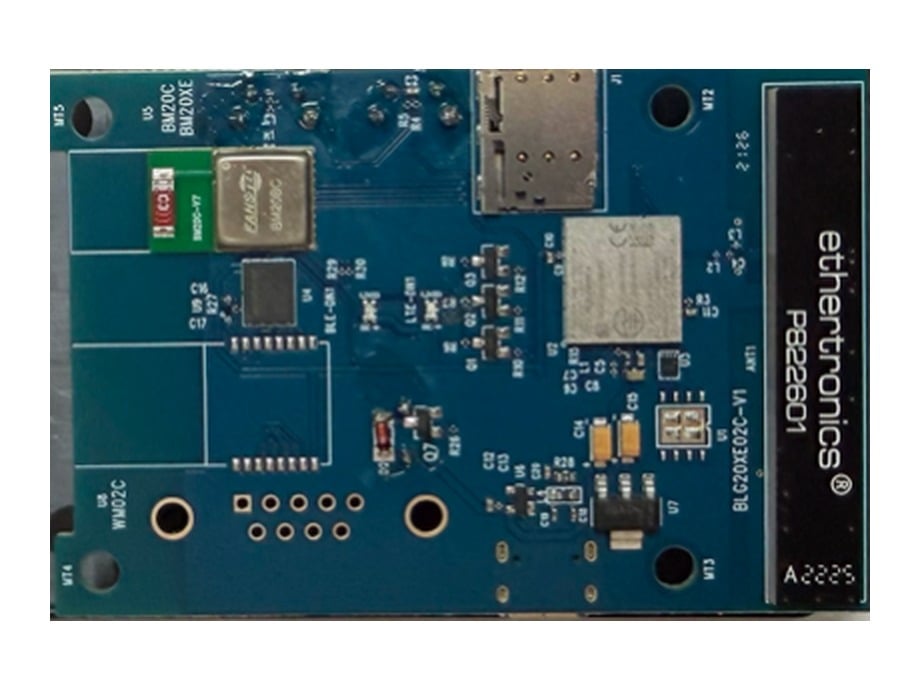
The board inside: the radio modules and the SIM holder.
The Adsum NTN Relay: industrial-grade firmware on the Fanstel BLG20x, indoors, and the LBG20x, outdoors with its own GNSS fix. Bluetooth LE devices in; LTE-M, NB-IoT and satellite NB-NTN out; Edge AI on board; signed updates over the air. Over satellite it sends the decision, not the data: alerts and status only, in one 128-byte datagram. A guided first run takes a relay from an unflashed board to readings on your own platform and a command sent back. The demo is on every relay from Fanstel; production licences are per relay at www.adsumnetworks.com, and source is quoted. The BLG20x · The LBG20x · Datasheet (PDF) · Firmware specification · The first run, step by step.
For the BLG20x and LBG20x, a licence is per relay: our production firmware on one relay, for good, with security fixes for five years, a year of new versions (renewed a year at a time) and the evidence pack, bought at www.adsumnetworks.com. For the LEW840x and BWG840x, source licences are per module and per company: tell us what you are building and we agree terms. Your modifications stay yours, the source comes with the board knowledge the agent uses to extend it, and every build gets signed images, hash-verified before they flash.
Fanstel designs, makes and sells the hardware. Adsum writes, verifies, signs and licenses the firmware and the knowledge. Buy the BLG20x, the LBG20x, the LEW840x, the BWG840x and their cards from Fanstel, who is taking the BLG20x through the hardware certifications for each region. Buy the nRF9151 DK and nRF54 boards from Nordic Semiconductor. Licensing a pack for your own integrators: support@adsumnetworks.com.The extension is Apache 2.0 and the bundled knowledge is CC-BY-SA. Gateway firmware is licensed separately, and the images are free to evaluate.
Your free account
What it unlocks, how sign-in works, what stays on your machine.
How the board knowledge is built
Published designs, checked on the bench, credited to the engineer.
{"docsConfig":{"theme":"mint","$schema":"https://mintlify.com/docs.json","name":"Adsum IoT Coder","description":"An open-source VS Code AI coding agent for Nordic nRF and Espressif ESP32 firmware, with hardware-verified expert knowledge, gateway firmware, and one-click EU CRA readiness.","colors":{"primary":"#D76947","light":"#E89478","dark":"#C2562F"},"logo":{"light":"https://mintcdn.com/adsumnetworks/5oq22Vr6_IxYgZXr/logo/adsum-networks-light.svg?fit=max\u0026auto=format\u0026n=5oq22Vr6_IxYgZXr\u0026q=85\u0026s=11327ef8767d0cc889ffaf6eee2decf4","dark":"https://mintcdn.com/adsumnetworks/5oq22Vr6_IxYgZXr/logo/adsum-networks-dark.svg?fit=max\u0026auto=format\u0026n=5oq22Vr6_IxYgZXr\u0026q=85\u0026s=dc117186e265933c45a637860ce915f9","href":"https://www.adsumnetworks.com"},"favicon":"https://mintcdn.com/adsumnetworks/gfAMtGNaT6MiJTU7/logo/icon.png?fit=max\u0026auto=format\u0026n=gfAMtGNaT6MiJTU7\u0026q=85\u0026s=22093a3de723db8e8d7401c5541419d7","appearance":{"default":"system"},"background":{"decoration":"grid"},"navbar":{"links":[{"icon":"satellite-dish","href":"https://www.adsumnetworks.com/","label":"NTN Relay"},{"icon":"github","href":"https://github.com/adsumnetworks/Adsum-IoT-Coder","label":"GitHub"},{"icon":"youtube","href":"https://www.youtube.com/@adsumnetworks","label":"YouTube"}],"primary":{"type":"button","label":"Install","href":"https://marketplace.visualstudio.com/items?itemName=AdsumNetwork.nrf-ai-debugger"}},"footer":{"socials":{"github":"https://github.com/adsumnetworks/Adsum-IoT-Coder","youtube":"https://www.youtube.com/@adsumnetworks","linkedin":"https://www.linkedin.com/company/adsum-networks"}},"search":{"prompt":"Search the Adsum IoT Coder docs..."},"seo":{"metatags":{"og:image":"https://docs.adsumnetworks.com/images/og-image.png","og:image:width":"1200","og:image:height":"630","og:site_name":"Adsum IoT Coder","og:type":"website","twitter:card":"summary_large_image","twitter:image":"https://docs.adsumnetworks.com/images/og-image.png"},"organization":{"id":"https://docs.adsumnetworks.com/#organization","name":"Adsum Networks","url":"https://www.adsumnetworks.com","logo":"https://docs.adsumnetworks.com/logo/icon.png","sameAs":["https://www.linkedin.com/company/adsum-networks/","https://github.com/adsumnetworks/Adsum-IoT-Coder","https://www.youtube.com/@adsumnetworks"]},"indexing":"navigable"},"fonts":{"heading":{"family":"Archivo","weight":700},"body":{"family":"IBM Plex Sans","weight":400}},"styling":{"latex":false},"banner":{"content":"New: the Adsum NTN Relay, BLG20x and LBG20x. Your Bluetooth devices over satellite, licensed per relay, the demo free. [Prices and datasheets](https://www.adsumnetworks.com/)","dismissible":true},"navigation":{"pages":[]}},"deployment":{"deploymentMetadataValue":{"subdomain":"adsumnetworks","hasAudioNarration":false,"actualSubdomain":"adsumnetworks","customDomains":["docs.adsumnetworks.com"],"gitSource":{"type":"github","owner":"adsumnetworks","repo":"adsumcoder-docs","deployBranch":"main","contentDirectory":"","isPrivate":true,"mountPath":"","label":""},"chroma":{"collectionId":"2af7b464-d8e8-4c77-bb51-1b409b1ae34d","liveDeploymentHistoryId":"6acdf6b4a71bd07e07fff0be","schemaVersion":"v3","latestBuiltDeploymentHistoryId":"6acdf6b4a71bd07e07fff0be"},"entitlements":{"AI_CHAT":{"status":"DISABLED"}},"buildId":"6acdf6b4a71bd07e07fff0be","clientVersion":"0.0.3965","searchFilterCounts":[{"language":"default","tag":"Documentation","count":37},{"language":"default","tag":"Build on partner open hardware","count":13},{"language":"default","tag":"What it does","count":6},{"language":"default","tag":"Get started","count":5},{"language":"default","tag":"Reference","count":5},{"language":"default","tag":"How it works","count":3},{"language":"default","tag":"BWG840x · BLE to Wi-Fi","count":3},{"language":"default","tag":"Supported hardware","count":3},{"language":"default","tag":"BLG20x · NTN Relay, indoors","count":3},{"language":"default","tag":"LBG20x · NTN Relay, outdoors","count":3}]},"assistantConfig":{"enableAskAiButton":false,"enableStarterQuestions":false,"enableContextualStarterQuestions":false,"enableAskAiSearchBar":true},"hasChatPermissions":false,"hasWebMcpPermissions":false,"toggles":[{"name":"kill-isr","enabled":true,"variant":{"name":"disabled","enabled":false,"feature_enabled":true},"impressionData":false},{"name":"agent-mintlify-slack","enabled":true,"variant":{"name":"disabled","enabled":false,"feature_enabled":true},"impressionData":false},{"name":"editor-v7-file-tree","enabled":true,"variant":{"name":"disabled","enabled":false,"feature_enabled":true},"impressionData":false},{"name":"agent-integrations-settings","enabled":true,"variant":{"name":"disabled","enabled":false,"feature_enabled":true},"impressionData":false},{"name":"automations-pr-grouping","enabled":true,"variant":{"name":"disabled","enabled":false,"feature_enabled":true},"impressionData":false},{"name":"custom-prefix","enabled":true,"variant":{"name":"disabled","enabled":false,"feature_enabled":true},"impressionData":false},{"name":"analytics-v7","enabled":true,"variant":{"name":"disabled","enabled":false,"feature_enabled":true},"impressionData":false},{"name":"user-flows-analytics","enabled":true,"variant":{"name":"disabled","enabled":false,"feature_enabled":true},"impressionData":false},{"name":"no-publish-flow","enabled":true,"variant":{"name":"disabled","enabled":false,"feature_enabled":true},"impressionData":false},{"name":"workos-onboarding","enabled":true,"variant":{"name":"disabled","enabled":false,"feature_enabled":true},"impressionData":false},{"name":"llms-txt-v2","enabled":true,"variant":{"name":"disabled","enabled":false,"feature_enabled":true},"impressionData":false},{"name":"pause-universal-search-reconcile","enabled":true,"variant":{"name":"disabled","enabled":false,"feature_enabled":true},"impressionData":false},{"name":"snapshot-serving-live","enabled":true,"variant":{"name":"disabled","enabled":false,"feature_enabled":true},"impressionData":false},{"name":"stripTemperatureMiddleware","enabled":true,"variant":{"name":"disabled","enabled":false,"feature_enabled":true},"impressionData":false},{"name":"per-site-search-delta","enabled":true,"variant":{"name":"disabled","enabled":false,"feature_enabled":true},"impressionData":false},{"name":"support-platform-pylon-zendesk","enabled":true,"variant":{"name":"disabled","enabled":false,"feature_enabled":true},"impressionData":false},{"name":"snapshot-serving","enabled":true,"variant":{"name":"disabled","enabled":false,"feature_enabled":true},"impressionData":false},{"name":"instant-rollback","enabled":true,"variant":{"name":"disabled","enabled":false,"feature_enabled":true},"impressionData":false},{"name":"granular-notifications-server","enabled":true,"variant":{"name":"disabled","enabled":false,"feature_enabled":true},"impressionData":false},{"name":"granular-notifications","enabled":true,"variant":{"name":"disabled","enabled":false,"feature_enabled":true},"impressionData":false},{"name":"editor-private-page-search","enabled":true,"variant":{"name":"disabled","enabled":false,"feature_enabled":true},"impressionData":false},{"name":"automations-fable","enabled":true,"variant":{"name":"disabled","enabled":false,"feature_enabled":true},"impressionData":false},{"name":"fixed-ai-action-pricing","enabled":true,"variant":{"name":"disabled","enabled":false,"feature_enabled":true},"impressionData":false},{"name":"automation-resolve-merge-conflict","enabled":true,"variant":{"name":"disabled","enabled":false,"feature_enabled":true},"impressionData":false},{"name":"scoped-publishing","enabled":true,"variant":{"name":"disabled","enabled":false,"feature_enabled":true},"impressionData":false},{"name":"mintql","enabled":true,"variant":{"name":"disabled","enabled":false,"feature_enabled":true},"impressionData":false},{"name":"page-level-analytics","enabled":true,"variant":{"name":"disabled","enabled":false,"feature_enabled":true},"impressionData":false},{"name":"editor-version-history-v2","enabled":true,"variant":{"name":"disabled","enabled":false,"feature_enabled":true},"impressionData":false},{"name":"editor-nav-generations","enabled":true,"variant":{"name":"disabled","enabled":false,"feature_enabled":true},"impressionData":false},{"name":"billing-page-v2","enabled":true,"variant":{"name":"disabled","enabled":false,"feature_enabled":true},"impressionData":false},{"name":"workspace-projects","enabled":true,"variant":{"name":"disabled","enabled":false,"feature_enabled":true},"impressionData":false},{"name":"assistant-v5","enabled":true,"variant":{"name":"disabled","enabled":false,"feature_enabled":true},"impressionData":false},{"name":"byok-sep-25","enabled":true,"variant":{"name":"disabled","enabled":false,"feature_enabled":true},"impressionData":false},{"name":"fork-pr-previews","enabled":true,"variant":{"name":"disabled","enabled":false,"feature_enabled":true},"impressionData":false},{"name":"revalidation-jwt","enabled":true,"variant":{"name":"disabled","enabled":false,"feature_enabled":true},"impressionData":false},{"name":"vite-origin","enabled":true,"variant":{"name":"disabled","enabled":false,"feature_enabled":true},"impressionData":false},{"name":"editor-agent-model-picker","enabled":true,"variant":{"name":"disabled","enabled":false,"feature_enabled":true},"impressionData":false},{"name":"billing-updated-9-15","enabled":true,"variant":{"name":"disabled","enabled":false,"feature_enabled":true},"impressionData":false},{"name":"hobby-abuse-scan","enabled":true,"variant":{"name":"disabled","enabled":false,"feature_enabled":true},"impressionData":false},{"name":"dashboard-inbox","enabled":true,"variant":{"name":"disabled","enabled":false,"feature_enabled":true},"impressionData":false}],"isAtlas":false,"googleFontsInlined":true},"customCss":[{"filePath":"styles.css","content":"/* cyrillic-ext */\n@font-face {\n font-family: 'IBM Plex Mono';\n font-style: normal;\n font-weight: 400;\n font-display: swap;\n src: url(/_mintlify/assets/fonts/google/s/ibmplexmono/v20/-F63fjptAgt5VM-kVkqdyU8n1iIq129k.woff2) format('woff2');\n unicode-range: U+0460-052F, U+1C80-1C8A, U+20B4, U+2DE0-2DFF, U+A640-A69F, U+FE2E-FE2F;\n}\n/* cyrillic */\n@font-face {\n font-family: 'IBM Plex Mono';\n font-style: normal;\n font-weight: 400;\n font-display: swap;\n src: url(/_mintlify/assets/fonts/google/s/ibmplexmono/v20/-F63fjptAgt5VM-kVkqdyU8n1isq129k.woff2) format('woff2');\n unicode-range: U+0301, U+0400-045F, U+0490-0491, U+04B0-04B1, U+2116;\n}\n/* vietnamese */\n@font-face {\n font-family: 'IBM Plex Mono';\n font-style: normal;\n font-weight: 400;\n font-display: swap;\n src: url(/_mintlify/assets/fonts/google/s/ibmplexmono/v20/-F63fjptAgt5VM-kVkqdyU8n1iAq129k.woff2) format('woff2');\n unicode-range: U+0102-0103, U+0110-0111, U+0128-0129, U+0168-0169, U+01A0-01A1, U+01AF-01B0, U+0300-0301, U+0303-0304, U+0308-0309, U+0323, U+0329, U+1EA0-1EF9, U+20AB;\n}\n/* latin-ext */\n@font-face {\n font-family: 'IBM Plex Mono';\n font-style: normal;\n font-weight: 400;\n font-display: swap;\n src: url(/_mintlify/assets/fonts/google/s/ibmplexmono/v20/-F63fjptAgt5VM-kVkqdyU8n1iEq129k.woff2) format('woff2');\n unicode-range: U+0100-02BA, U+02BD-02C5, U+02C7-02CC, U+02CE-02D7, U+02DD-02FF, U+0304, U+0308, U+0329, U+1D00-1DBF, U+1E00-1E9F, U+1EF2-1EFF, U+2020, U+20A0-20AB, U+20AD-20C4, U+2113, U+2C60-2C7F, U+A720-A7FF;\n}\n/* latin */\n@font-face {\n font-family: 'IBM Plex Mono';\n font-style: normal;\n font-weight: 400;\n font-display: swap;\n src: url(/_mintlify/assets/fonts/google/s/ibmplexmono/v20/-F63fjptAgt5VM-kVkqdyU8n1i8q1w.woff2) format('woff2');\n unicode-range: U+0000-00FF, U+0131, U+0152-0153, U+02BB-02BC, U+02C6, U+02DA, U+02DC, U+0304, U+0308, U+0329, U+2000-206F, U+20AC, U+2122, U+2191, U+2193, U+2212, U+2215, U+FEFF, U+FFFD;\n}\n/* cyrillic-ext */\n@font-face {\n font-family: 'IBM Plex Mono';\n font-style: normal;\n font-weight: 500;\n font-display: swap;\n src: url(/_mintlify/assets/fonts/google/s/ibmplexmono/v20/-F6qfjptAgt5VM-kVkqdyU8n3twJwl1FgtIU.woff2) format('woff2');\n unicode-range: U+0460-052F, U+1C80-1C8A, U+20B4, U+2DE0-2DFF, U+A640-A69F, U+FE2E-FE2F;\n}\n/* cyrillic */\n@font-face {\n font-family: 'IBM Plex Mono';\n font-style: normal;\n font-weight: 500;\n font-display: swap;\n src: url(/_mintlify/assets/fonts/google/s/ibmplexmono/v20/-F6qfjptAgt5VM-kVkqdyU8n3twJwlRFgtIU.woff2) format('woff2');\n unicode-range: U+0301, U+0400-045F, U+0490-0491, U+04B0-04B1, U+2116;\n}\n/* vietnamese */\n@font-face {\n font-family: 'IBM Plex Mono';\n font-style: normal;\n font-weight: 500;\n font-display: swap;\n src: url(/_mintlify/assets/fonts/google/s/ibmplexmono/v20/-F6qfjptAgt5VM-kVkqdyU8n3twJwl9FgtIU.woff2) format('woff2');\n unicode-range: U+0102-0103, U+0110-0111, U+0128-0129, U+0168-0169, U+01A0-01A1, U+01AF-01B0, U+0300-0301, U+0303-0304, U+0308-0309, U+0323, U+0329, U+1EA0-1EF9, U+20AB;\n}\n/* latin-ext */\n@font-face {\n font-family: 'IBM Plex Mono';\n font-style: normal;\n font-weight: 500;\n font-display: swap;\n src: url(/_mintlify/assets/fonts/google/s/ibmplexmono/v20/-F6qfjptAgt5VM-kVkqdyU8n3twJwl5FgtIU.woff2) format('woff2');\n unicode-range: U+0100-02BA, U+02BD-02C5, U+02C7-02CC, U+02CE-02D7, U+02DD-02FF, U+0304, U+0308, U+0329, U+1D00-1DBF, U+1E00-1E9F, U+1EF2-1EFF, U+2020, U+20A0-20AB, U+20AD-20C4, U+2113, U+2C60-2C7F, U+A720-A7FF;\n}\n/* latin */\n@font-face {\n font-family: 'IBM Plex Mono';\n font-style: normal;\n font-weight: 500;\n font-display: swap;\n src: url(/_mintlify/assets/fonts/google/s/ibmplexmono/v20/-F6qfjptAgt5VM-kVkqdyU8n3twJwlBFgg.woff2) format('woff2');\n unicode-range: U+0000-00FF, U+0131, U+0152-0153, U+02BB-02BC, U+02C6, U+02DA, U+02DC, U+0304, U+0308, U+0329, U+2000-206F, U+20AC, U+2122, U+2191, U+2193, U+2212, U+2215, U+FEFF, U+FFFD;\n}\n/* cyrillic-ext */\n@font-face {\n font-family: 'IBM Plex Mono';\n font-style: normal;\n font-weight: 600;\n font-display: swap;\n src: url(/_mintlify/assets/fonts/google/s/ibmplexmono/v20/-F6qfjptAgt5VM-kVkqdyU8n3vAOwl1FgtIU.woff2) format('woff2');\n unicode-range: U+0460-052F, U+1C80-1C8A, U+20B4, U+2DE0-2DFF, U+A640-A69F, U+FE2E-FE2F;\n}\n/* cyrillic */\n@font-face {\n font-family: 'IBM Plex Mono';\n font-style: normal;\n font-weight: 600;\n font-display: swap;\n src: url(/_mintlify/assets/fonts/google/s/ibmplexmono/v20/-F6qfjptAgt5VM-kVkqdyU8n3vAOwlRFgtIU.woff2) format('woff2');\n unicode-range: U+0301, U+0400-045F, U+0490-0491, U+04B0-04B1, U+2116;\n}\n/* vietnamese */\n@font-face {\n font-family: 'IBM Plex Mono';\n font-style: normal;\n font-weight: 600;\n font-display: swap;\n src: url(/_mintlify/assets/fonts/google/s/ibmplexmono/v20/-F6qfjptAgt5VM-kVkqdyU8n3vAOwl9FgtIU.woff2) format('woff2');\n unicode-range: U+0102-0103, U+0110-0111, U+0128-0129, U+0168-0169, U+01A0-01A1, U+01AF-01B0, U+0300-0301, U+0303-0304, U+0308-0309, U+0323, U+0329, U+1EA0-1EF9, U+20AB;\n}\n/* latin-ext */\n@font-face {\n font-family: 'IBM Plex Mono';\n font-style: normal;\n font-weight: 600;\n font-display: swap;\n src: url(/_mintlify/assets/fonts/google/s/ibmplexmono/v20/-F6qfjptAgt5VM-kVkqdyU8n3vAOwl5FgtIU.woff2) format('woff2');\n unicode-range: U+0100-02BA, U+02BD-02C5, U+02C7-02CC, U+02CE-02D7, U+02DD-02FF, U+0304, U+0308, U+0329, U+1D00-1DBF, U+1E00-1E9F, U+1EF2-1EFF, U+2020, U+20A0-20AB, U+20AD-20C4, U+2113, U+2C60-2C7F, U+A720-A7FF;\n}\n/* latin */\n@font-face {\n font-family: 'IBM Plex Mono';\n font-style: normal;\n font-weight: 600;\n font-display: swap;\n src: url(/_mintlify/assets/fonts/google/s/ibmplexmono/v20/-F6qfjptAgt5VM-kVkqdyU8n3vAOwlBFgg.woff2) format('woff2');\n unicode-range: U+0000-00FF, U+0131, U+0152-0153, U+02BB-02BC, U+02C6, U+02DA, U+02DC, U+0304, U+0308, U+0329, U+2000-206F, U+20AC, U+2122, U+2191, U+2193, U+2212, U+2215, U+FEFF, U+FFFD;\n}\n/* cyrillic-ext */\n@font-face {\n font-family: 'Source Serif 4';\n font-style: normal;\n font-weight: 400;\n font-display: swap;\n src: url(/_mintlify/assets/fonts/google/s/sourceserif4/v15/vEFI2_tTDB4M7-auWDN0ahZJW1gW8tenXg.woff2) format('woff2');\n unicode-range: U+0460-052F, U+1C80-1C8A, U+20B4, U+2DE0-2DFF, U+A640-A69F, U+FE2E-FE2F;\n}\n/* cyrillic */\n@font-face {\n font-family: 'Source Serif 4';\n font-style: normal;\n font-weight: 400;\n font-display: swap;\n src: url(/_mintlify/assets/fonts/google/s/sourceserif4/v15/vEFI2_tTDB4M7-auWDN0ahZJW1gf8tenXg.woff2) format('woff2');\n unicode-range: U+0301, U+0400-045F, U+0490-0491, U+04B0-04B1, U+2116;\n}\n/* greek */\n@font-face {\n font-family: 'Source Serif 4';\n font-style: normal;\n font-weight: 400;\n font-display: swap;\n src: url(/_mintlify/assets/fonts/google/s/sourceserif4/v15/vEFI2_tTDB4M7-auWDN0ahZJW1gY8tenXg.woff2) format('woff2');\n unicode-range: U+0370-0377, U+037A-037F, U+0384-038A, U+038C, U+038E-03A1, U+03A3-03FF;\n}\n/* vietnamese */\n@font-face {\n font-family: 'Source Serif 4';\n font-style: normal;\n font-weight: 400;\n font-display: swap;\n src: url(/_mintlify/assets/fonts/google/s/sourceserif4/v15/vEFI2_tTDB4M7-auWDN0ahZJW1gU8tenXg.woff2) format('woff2');\n unicode-range: U+0102-0103, U+0110-0111, U+0128-0129, U+0168-0169, U+01A0-01A1, U+01AF-01B0, U+0300-0301, U+0303-0304, U+0308-0309, U+0323, U+0329, U+1EA0-1EF9, U+20AB;\n}\n/* latin-ext */\n@font-face {\n font-family: 'Source Serif 4';\n font-style: normal;\n font-weight: 400;\n font-display: swap;\n src: url(/_mintlify/assets/fonts/google/s/sourceserif4/v15/vEFI2_tTDB4M7-auWDN0ahZJW1gV8tenXg.woff2) format('woff2');\n unicode-range: U+0100-02BA, U+02BD-02C5, U+02C7-02CC, U+02CE-02D7, U+02DD-02FF, U+0304, U+0308, U+0329, U+1D00-1DBF, U+1E00-1E9F, U+1EF2-1EFF, U+2020, U+20A0-20AB, U+20AD-20C4, U+2113, U+2C60-2C7F, U+A720-A7FF;\n}\n/* latin */\n@font-face {\n font-family: 'Source Serif 4';\n font-style: normal;\n font-weight: 400;\n font-display: swap;\n src: url(/_mintlify/assets/fonts/google/s/sourceserif4/v15/vEFI2_tTDB4M7-auWDN0ahZJW1gb8tc.woff2) format('woff2');\n unicode-range: U+0000-00FF, U+0131, U+0152-0153, U+02BB-02BC, U+02C6, U+02DA, U+02DC, U+0304, U+0308, U+0329, U+2000-206F, U+20AC, U+2122, U+2191, U+2193, U+2212, U+2215, U+FEFF, U+FFFD;\n}\n/* cyrillic-ext */\n@font-face {\n font-family: 'Source Serif 4';\n font-style: normal;\n font-weight: 500;\n font-display: swap;\n src: url(/_mintlify/assets/fonts/google/s/sourceserif4/v15/vEFI2_tTDB4M7-auWDN0ahZJW1gW8tenXg.woff2) format('woff2');\n unicode-range: U+0460-052F, U+1C80-1C8A, U+20B4, U+2DE0-2DFF, U+A640-A69F, U+FE2E-FE2F;\n}\n/* cyrillic */\n@font-face {\n font-family: 'Source Serif 4';\n font-style: normal;\n font-weight: 500;\n font-display: swap;\n src: url(/_mintlify/assets/fonts/google/s/sourceserif4/v15/vEFI2_tTDB4M7-auWDN0ahZJW1gf8tenXg.woff2) format('woff2');\n unicode-range: U+0301, U+0400-045F, U+0490-0491, U+04B0-04B1, U+2116;\n}\n/* greek */\n@font-face {\n font-family: 'Source Serif 4';\n font-style: normal;\n font-weight: 500;\n font-display: swap;\n src: url(/_mintlify/assets/fonts/google/s/sourceserif4/v15/vEFI2_tTDB4M7-auWDN0ahZJW1gY8tenXg.woff2) format('woff2');\n unicode-range: U+0370-0377, U+037A-037F, U+0384-038A, U+038C, U+038E-03A1, U+03A3-03FF;\n}\n/* vietnamese */\n@font-face {\n font-family: 'Source Serif 4';\n font-style: normal;\n font-weight: 500;\n font-display: swap;\n src: url(/_mintlify/assets/fonts/google/s/sourceserif4/v15/vEFI2_tTDB4M7-auWDN0ahZJW1gU8tenXg.woff2) format('woff2');\n unicode-range: U+0102-0103, U+0110-0111, U+0128-0129, U+0168-0169, U+01A0-01A1, U+01AF-01B0, U+0300-0301, U+0303-0304, U+0308-0309, U+0323, U+0329, U+1EA0-1EF9, U+20AB;\n}\n/* latin-ext */\n@font-face {\n font-family: 'Source Serif 4';\n font-style: normal;\n font-weight: 500;\n font-display: swap;\n src: url(/_mintlify/assets/fonts/google/s/sourceserif4/v15/vEFI2_tTDB4M7-auWDN0ahZJW1gV8tenXg.woff2) format('woff2');\n unicode-range: U+0100-02BA, U+02BD-02C5, U+02C7-02CC, U+02CE-02D7, U+02DD-02FF, U+0304, U+0308, U+0329, U+1D00-1DBF, U+1E00-1E9F, U+1EF2-1EFF, U+2020, U+20A0-20AB, U+20AD-20C4, U+2113, U+2C60-2C7F, U+A720-A7FF;\n}\n/* latin */\n@font-face {\n font-family: 'Source Serif 4';\n font-style: normal;\n font-weight: 500;\n font-display: swap;\n src: url(/_mintlify/assets/fonts/google/s/sourceserif4/v15/vEFI2_tTDB4M7-auWDN0ahZJW1gb8tc.woff2) format('woff2');\n unicode-range: U+0000-00FF, U+0131, U+0152-0153, U+02BB-02BC, U+02C6, U+02DA, U+02DC, U+0304, U+0308, U+0329, U+2000-206F, U+20AC, U+2122, U+2191, U+2193, U+2212, U+2215, U+FEFF, U+FFFD;\n}\n/* cyrillic-ext */\n@font-face {\n font-family: 'Source Serif 4';\n font-style: normal;\n font-weight: 600;\n font-display: swap;\n src: url(/_mintlify/assets/fonts/google/s/sourceserif4/v15/vEFI2_tTDB4M7-auWDN0ahZJW1gW8tenXg.woff2) format('woff2');\n unicode-range: U+0460-052F, U+1C80-1C8A, U+20B4, U+2DE0-2DFF, U+A640-A69F, U+FE2E-FE2F;\n}\n/* cyrillic */\n@font-face {\n font-family: 'Source Serif 4';\n font-style: normal;\n font-weight: 600;\n font-display: swap;\n src: url(/_mintlify/assets/fonts/google/s/sourceserif4/v15/vEFI2_tTDB4M7-auWDN0ahZJW1gf8tenXg.woff2) format('woff2');\n unicode-range: U+0301, U+0400-045F, U+0490-0491, U+04B0-04B1, U+2116;\n}\n/* greek */\n@font-face {\n font-family: 'Source Serif 4';\n font-style: normal;\n font-weight: 600;\n font-display: swap;\n src: url(/_mintlify/assets/fonts/google/s/sourceserif4/v15/vEFI2_tTDB4M7-auWDN0ahZJW1gY8tenXg.woff2) format('woff2');\n unicode-range: U+0370-0377, U+037A-037F, U+0384-038A, U+038C, U+038E-03A1, U+03A3-03FF;\n}\n/* vietnamese */\n@font-face {\n font-family: 'Source Serif 4';\n font-style: normal;\n font-weight: 600;\n font-display: swap;\n src: url(/_mintlify/assets/fonts/google/s/sourceserif4/v15/vEFI2_tTDB4M7-auWDN0ahZJW1gU8tenXg.woff2) format('woff2');\n unicode-range: U+0102-0103, U+0110-0111, U+0128-0129, U+0168-0169, U+01A0-01A1, U+01AF-01B0, U+0300-0301, U+0303-0304, U+0308-0309, U+0323, U+0329, U+1EA0-1EF9, U+20AB;\n}\n/* latin-ext */\n@font-face {\n font-family: 'Source Serif 4';\n font-style: normal;\n font-weight: 600;\n font-display: swap;\n src: url(/_mintlify/assets/fonts/google/s/sourceserif4/v15/vEFI2_tTDB4M7-auWDN0ahZJW1gV8tenXg.woff2) format('woff2');\n unicode-range: U+0100-02BA, U+02BD-02C5, U+02C7-02CC, U+02CE-02D7, U+02DD-02FF, U+0304, U+0308, U+0329, U+1D00-1DBF, U+1E00-1E9F, U+1EF2-1EFF, U+2020, U+20A0-20AB, U+20AD-20C4, U+2113, U+2C60-2C7F, U+A720-A7FF;\n}\n/* latin */\n@font-face {\n font-family: 'Source Serif 4';\n font-style: normal;\n font-weight: 600;\n font-display: swap;\n src: url(/_mintlify/assets/fonts/google/s/sourceserif4/v15/vEFI2_tTDB4M7-auWDN0ahZJW1gb8tc.woff2) format('woff2');\n unicode-range: U+0000-00FF, U+0131, U+0152-0153, U+02BB-02BC, U+02C6, U+02DA, U+02DC, U+0304, U+0308, U+0329, U+2000-206F, U+20AC, U+2122, U+2191, U+2193, U+2212, U+2215, U+FEFF, U+FFFD;\n}\nheader img,nav img{height:70px!important;max-height:70px!important;width:auto!important}body:has(.adsum-hide-page-title) h1{position:absolute!important;width:1px!important;height:1px!important;padding:0!important;margin:-1px!important;overflow:hidden!important;clip:rect(0,0,0,0)!important;white-space:nowrap!important;border:0!important}body:has(.adsum-hide-page-title) #header>div.prose{display:none!important}.callout[class*=bg-blue-50]{border-color:#00a9ce!important;background-color:rgba(0,169,206,.08)!important}.callout[class*=bg-blue-50] [class*=text-blue]{color:#0089a8!important}.dark .callout[class*=bg-blue-50]{border-color:#00a9ce!important;background-color:rgba(0,169,206,.16)!important}.dark .callout[class*=bg-blue-50] [class*=text-blue]{color:#6fd2e6!important}.adsum-gal{scroll-padding-inline:0;scroll-behavior:smooth;padding-bottom:4px;scrollbar-width:thin;scrollbar-color:#cfd7de transparent}.adsum-gal>div{flex:0 0 93%!important;width:auto!important}@media (min-width:1024px){.adsum-gal>div{flex-basis:94%!important}}@media (max-width:640px){.adsum-gal>div{flex-basis:90%!important}}.adsum-gal::-webkit-scrollbar{height:6px}.adsum-gal::-webkit-scrollbar-track{background:0 0}.adsum-gal::-webkit-scrollbar-thumb{background:#cfd7de;border-radius:3px}.dark .adsum-gal{scrollbar-color:#3a4551 transparent}.dark .adsum-gal::-webkit-scrollbar-thumb{background:#3a4551}.adsum-gal img,.adsum-gal+p img{cursor:zoom-in}.adsum-gal a[href^=\"#\"]{display:inline-flex;align-items:center;padding:3px 10px;border:1px solid #e3e8ed;border-radius:6px;color:#007e9c;font-weight:500;transition:border-color .15s,color .15s,background-color .15s}.adsum-gal a[href^=\"#\"]:hover{border-color:#00a9ce;background-color:rgba(0,169,206,.07)}.dark .adsum-gal a[href^=\"#\"]{border-color:#2b3742;color:#6fd2e6}.dark .adsum-gal a[href^=\"#\"]:hover{border-color:#00a9ce;background-color:rgba(0,169,206,.14)}.adsum-gal .font-mono{font-weight:600;letter-spacing:.14em}.adsum-gal video{display:block;width:100%;border-radius:.75rem}@media (prefers-reduced-motion:reduce){.adsum-gal{scroll-behavior:auto}.adsum-gal a[href^=\"#\"]{transition:none}}.adsum-fig{--af-rule:#e6e9ee;--af-ink:#16202b;--af-mut:#667382;--af-faint:#667382;--af-accent:#C2562F;--af-soft:#fafbfc;margin:1.75rem 0;font-feature-settings:\"tnum\" 1}.dark .adsum-byline,.dark .adsum-fig,.dark .adsum-lanes,.dark .adsum-mast,.dark .adsum-order,.dark .adsum-readout,.dark .adsum-roles,.dark .adsum-track{--af-rule:#262f3a;--af-ink:#e9eef4;--af-mut:#94a1ae;--af-faint:#7d8a97;--af-accent:#E89478;--af-soft:#141a21}.adsum-fig *{line-height:1.45}.adsum-ladder{border-top:1px solid var(--af-rule)}.adsum-tier{display:grid;grid-template-columns:8.25rem 1fr;gap:0 1.1rem;padding:.95rem 0;border-bottom:1px solid var(--af-rule);align-items:start}.adsum-when{font-weight:650!important;text-transform:uppercase;color:var(--af-accent)!important;padding-top:.18rem;white-space:nowrap}.adsum-what{min-width:0}.adsum-what b{display:block;font-size:.975rem!important;font-weight:600!important;color:var(--af-ink)!important;margin-bottom:.18rem}.adsum-what span{display:block;font-size:.855rem!important;color:var(--af-mut)!important}@media (max-width:540px){.adsum-tier{grid-template-columns:1fr;gap:.3rem}.adsum-when{padding-top:0}}.adsum-pipe{position:relative;padding-left:1.4rem}.adsum-pipe::before{content:\"\";position:absolute;left:.3rem;top:.55rem;bottom:3.1rem;width:1px;background:var(--af-rule)}.adsum-return,.adsum-step{position:relative;padding:0 0 1.05rem}.adsum-step::before{content:\"\";position:absolute;left:-1.4rem;top:.42rem;width:.44rem;height:.44rem;border-radius:50%;background:var(--af-faint);box-shadow:0 0 0 3px var(--af-soft)}.adsum-step b{display:block;font-size:.95rem!important}.adsum-step span{display:block;margin-top:.1rem}.adsum-step.is-key::before{background:var(--af-accent);width:.56rem;height:.56rem;left:-1.46rem;top:.38rem}.adsum-hop-b .adsum-hop-s.is-live,.adsum-step.is-key b{color:var(--af-accent)!important}.adsum-return{margin-top:.25rem;padding:.7rem .9rem;border:1px dashed var(--af-rule);border-radius:.45rem;background:var(--af-soft);font-size:.855rem!important;color:var(--af-mut)!important}.adsum-return::before{content:\"\\2191\";position:absolute;left:-1.52rem;top:.62rem;font-size:.82rem;color:var(--af-accent);line-height:1}.adsum-lane b,.adsum-return b,.adsum-step b{color:var(--af-ink)!important;font-weight:600!important}.adsum-lanes{border-top:1px solid var(--af-rule)}.adsum-lane,.adsum-mast>div{border-bottom:1px solid var(--af-rule)}.adsum-lane{display:grid;grid-template-columns:8.25rem 1fr;gap:0 1.1rem;padding:.7rem 0;align-items:baseline}.adsum-lane b{font-weight:650!important}.adsum-lane span,.adsum-step span{font-size:.855rem!important;color:var(--af-mut)!important}.adsum-verdict{margin-top:.85rem;padding-left:.9rem;border-left:2px solid var(--af-accent);font-size:.9rem!important;color:var(--af-ink)!important}.adsum-verdict b{color:var(--af-accent)!important;font-weight:600!important}@media (max-width:540px){.adsum-lane{grid-template-columns:1fr;gap:.2rem}}.adsum-cap{margin-top:.8rem;font-size:.8rem!important;color:var(--af-faint)!important}.adsum-byline,.adsum-lanes,.adsum-mast,.adsum-order,.adsum-readout,.adsum-roles,.adsum-track{--af-rule:#e6e9ee;--af-ink:#16202b;--af-mut:#667382;--af-faint:#667382;--af-accent:#C2562F;--af-soft:#fafbfc;font-feature-settings:\"tnum\" 1}.adsum-mono{font-family:ui-monospace,SFMono-Regular,\"SF Mono\",Menlo,Consolas,monospace}.adsum-mast{display:grid;grid-template-columns:repeat(2,minmax(0,1fr));border-top:1px solid var(--af-rule);border-left:1px solid var(--af-rule);margin:1.5rem 0}.adsum-mast>div{border-right:1px solid var(--af-rule);padding:.78rem .9rem .85rem;min-width:0}.adsum-mast-k{display:block;font-size:.645rem!important;font-weight:650!important;letter-spacing:.1em;text-transform:uppercase;color:var(--af-faint)!important;margin-bottom:.45rem;line-height:1.3!important}.adsum-mast-v{display:block;font-family:ui-monospace,SFMono-Regular,\"SF Mono\",Menlo,Consolas,monospace;font-size:1.12rem!important;font-weight:600!important;color:var(--af-ink)!important;line-height:1.15!important;letter-spacing:-.01em}.adsum-mast-n{display:block;font-size:.72rem!important;color:var(--af-mut)!important;margin-top:.34rem;line-height:1.35!important}.adsum-byline{display:flex;flex-wrap:wrap;gap:.3rem 1.1rem;margin:1.1rem 0 0;font-family:ui-monospace,SFMono-Regular,\"SF Mono\",Menlo,Consolas,monospace;font-size:.715rem!important;color:var(--af-faint)!important;line-height:1.5!important}.adsum-byline b{color:var(--af-mut)!important;font-weight:500!important}.adsum-roles{border-top:1px solid var(--af-rule);margin:1.5rem 0}.adsum-role{padding:.85rem 0 .9rem;border-bottom:1px solid var(--af-rule)}.adsum-role b{display:block;font-size:.675rem!important;font-weight:650!important;letter-spacing:.095em;text-transform:uppercase;color:var(--af-accent)!important;margin-bottom:.3rem}.adsum-hop-b>span,.adsum-role span,.adsum-trk-t span{display:block;font-size:.875rem!important;color:var(--af-mut)!important}.adsum-order{border-top:1px solid var(--af-rule);margin:1.5rem 0}.adsum-hop{display:grid;grid-template-columns:1.5rem minmax(0,1fr);gap:0 .85rem;padding:.78rem 0 .82rem;border-bottom:1px solid var(--af-rule);align-items:start}.adsum-hop-b .adsum-hop-s,.adsum-hop-n{font-family:ui-monospace,SFMono-Regular,\"SF Mono\",Menlo,Consolas,monospace;font-weight:600!important}.adsum-hop-n{font-size:.8rem!important;color:var(--af-accent)!important;padding-top:.1rem}.adsum-hop-b{min-width:0}.adsum-hop-b b,.adsum-trk-t b{font-size:.95rem!important;font-weight:600!important;color:var(--af-ink)!important}.adsum-hop-b .adsum-hop-s{display:inline!important;margin-top:0!important;font-size:.625rem!important;letter-spacing:.09em;text-transform:uppercase;margin-left:.55rem;white-space:nowrap}.adsum-hop-b>span,.adsum-trk-t span{font-size:.845rem!important;margin-top:.18rem}.adsum-hop-b .adsum-hop-s,.adsum-hop.is-absent .adsum-hop-b b,.adsum-hop.is-absent .adsum-hop-n,.adsum-trk.is-skipped .adsum-trk-n,.adsum-trk.is-skipped .adsum-trk-t b{color:var(--af-faint)!important}.adsum-track{border-top:1px solid var(--af-rule);margin:1.5rem 0}.adsum-trk{display:grid;grid-template-columns:1.5rem minmax(0,1fr) auto;gap:0 .85rem;padding:.72rem 0 .76rem;border-bottom:1px solid var(--af-rule);align-items:baseline}.adsum-trk-n{font-family:ui-monospace,SFMono-Regular,\"SF Mono\",Menlo,Consolas,monospace;font-size:.8rem!important;font-weight:600!important;color:var(--af-accent)!important}.adsum-trk-t{min-width:0}.adsum-trk-t b{display:block;font-size:.925rem!important}.adsum-trk-t span{font-size:.835rem!important;margin-top:.14rem}.adsum-trk-h{font-family:ui-monospace,SFMono-Regular,\"SF Mono\",Menlo,Consolas,monospace;font-size:.615rem!important;font-weight:650!important;letter-spacing:.09em;text-transform:uppercase;color:var(--af-accent)!important;white-space:nowrap;padding-top:.16rem}.adsum-readout{border:1px solid var(--af-rule);border-left:2px solid var(--af-accent);margin:1.5rem 0}.adsum-readout-h,.adsum-readout-row{border-bottom:1px solid var(--af-rule)}.adsum-readout-h{display:block;padding:.58rem .95rem;background:var(--af-soft);font-size:.655rem!important;font-weight:650!important;letter-spacing:.095em;text-transform:uppercase;color:var(--af-mut)!important}.adsum-readout-row{display:grid;grid-template-columns:minmax(0,10.5rem) minmax(0,1fr);gap:0 1rem;margin:0 .95rem}.adsum-readout-row:last-child{border-bottom:0}.adsum-readout-k{font-size:.845rem!important;color:var(--af-mut)!important;padding:.52rem 0}.adsum-lanes.is-ports .adsum-lane b,.adsum-readout-v{font-family:ui-monospace,SFMono-Regular,\"SF Mono\",Menlo,Consolas,monospace}.adsum-readout-v{font-size:.8rem!important;color:var(--af-ink)!important;padding:.52rem 0}.adsum-lanes.is-ports .adsum-lane{grid-template-columns:4.6rem minmax(0,1fr)}.adsum-lanes.is-ports .adsum-lane b{font-size:.78rem!important}@media (max-width:540px){.adsum-mast{grid-template-columns:minmax(0,1fr)}.adsum-readout-row{grid-template-columns:1fr;gap:0}.adsum-readout-k{padding-bottom:0}.adsum-readout-v{padding-top:.12rem}.adsum-trk{grid-template-columns:1.5rem minmax(0,1fr)}.adsum-trk-h{grid-column:2;padding-top:.25rem}.adsum-lanes.is-ports .adsum-lane{grid-template-columns:1fr;gap:.2rem}}:root{--ad-serif:\"Source Serif 4\", Georgia, \"Times New Roman\", serif;--ad-mono:\"IBM Plex Mono\", ui-monospace, SFMono-Regular, Menlo, Consolas, monospace;--ad-sans:\"Archivo\", -apple-system, BlinkMacSystemFont, \"Segoe UI\", sans-serif}#content h2,#content-area h1#page-title{font-weight:700!important;text-wrap:balance}#content-area h1#page-title{letter-spacing:-.028em!important;line-height:1.08!important;max-width:22ch}#content h2{letter-spacing:-.02em!important;line-height:1.15!important;margin-top:3rem!important}#content h3{font-weight:650!important;letter-spacing:-.012em!important;margin-top:2.2rem!important}#header .eyebrow{font-family:var(--ad-mono)!important;font-size:.68rem!important;font-weight:600!important;letter-spacing:.14em!important;text-transform:uppercase!important}#header .prose p{font-family:var(--ad-serif)!important;font-size:1.2rem!important;line-height:1.5!important;max-width:60ch;text-wrap:pretty}#content>blockquote p,#content>blockquote span[data-as=p],#content>ol>li,#content>p,#content>span[data-as=p],#content>ul>li{font-family:var(--ad-serif)!important;font-size:1.075rem!important;line-height:1.62!important;text-wrap:pretty}#content>p,#content>span[data-as=p]{max-width:66ch}#content>ol>li strong,#content>p strong,#content>span[data-as=p] strong,#content>ul>li strong{font-weight:600}#content code:not(pre code){font-family:var(--ad-mono)!important;font-size:.86em!important}#content table{font-family:var(--ad-sans);font-size:.9rem}#content thead th{font-family:var(--ad-mono)!important;font-size:.64rem!important;font-weight:600!important;letter-spacing:.11em;text-transform:uppercase;color:#667382!important;padding-top:.55rem!important;padding-bottom:.55rem!important}.dark #content .adsum-fine,.dark #content thead th,.dark #content>p.adsum-fine{color:#94a1ae!important}#content tbody td{padding-top:.62rem!important;padding-bottom:.62rem!important;vertical-align:top}#content tbody td:first-child,#content tbody td:first-child strong{font-weight:600}#content table code{font-size:.8rem!important}#content [class*=caption],#content figcaption{font-family:var(--ad-sans);font-size:.82rem;line-height:1.45}#content .callout,#content a[class*=card],#content div[class*=card]{border-radius:6px!important}#content .steps [class*=step] h3,#content .steps h3{font-weight:600!important}#content table code,.adsum-byline,.adsum-hop-b .adsum-hop-s,.adsum-hop-n,.adsum-lane b,.adsum-lanes.is-ports .adsum-lane b,.adsum-mast-k,.adsum-mast-v,.adsum-mono,.adsum-readout-h,.adsum-readout-v,.adsum-trk-h,.adsum-trk-n,.adsum-when{font-family:var(--ad-mono)!important}.adsum-when{letter-spacing:.1em;font-size:.68rem!important}.adsum-lane b{font-size:.74rem!important;letter-spacing:.06em;text-transform:uppercase}.adsum-cap,.adsum-hop-b b,.adsum-hop-b>span,.adsum-lane span,.adsum-mast-n,.adsum-readout-k,.adsum-return,.adsum-role b,.adsum-role span,.adsum-step b,.adsum-step span,.adsum-trk-t b,.adsum-trk-t span,.adsum-verdict,.adsum-what b,.adsum-what span{font-family:var(--ad-sans)!important}#content thead tr:not(:has(th:not(:empty))){display:none}#content .adsum-fine,#content>p.adsum-fine{font-family:var(--ad-sans)!important;font-size:.82rem!important;line-height:1.5!important;color:#667382!important;max-width:66ch}#banner{background-color:#007e9c!important}.adsum-cta{display:flex;flex-wrap:wrap;gap:.75rem;margin:1.35rem 0 1.9rem}.adsum-cta a{display:inline-flex;align-items:center;padding:.62rem 1.05rem;border-radius:.75rem;font-size:.95rem;font-weight:600;line-height:1.2;text-decoration:none!important;border-bottom:none!important;transition:background-color .15s ease,border-color .15s ease}.adsum-cta a.adsum-cta-primary{background:#007e9c;color:#fff!important;border:1px solid #007e9c!important}.adsum-cta a.adsum-cta-primary:hover{background:#006b85;border-color:#006b85!important}.adsum-cta a.adsum-cta-ghost{color:#007e9c!important;border:1px solid #007e9c!important}.adsum-cta a.adsum-cta-ghost:hover{background:rgba(0,126,156,.08)}.dark .adsum-cta a.adsum-cta-ghost{color:#6fd2e6!important;border-color:#2f8ea3!important}.dark .adsum-cta a.adsum-cta-ghost:hover{background:rgba(111,210,230,.08)}.adsum-cta a:focus-visible{outline:2px solid #6fd2e6;outline-offset:2px}@media (prefers-reduced-motion:reduce){.adsum-cta a{transition:none}}.adsum-hero{margin:1.5rem 0 2rem;border:1px solid #22323d;border-radius:14px;overflow:hidden;background:#0d161b;outline:0}.adsum-hero:focus-visible{box-shadow:0 0 0 2px #6fd2e6}.adsum-hero-screen{aspect-ratio:16/9;background:#0d161b}.adsum-hero-screen img{display:block;width:100%;height:100%;margin:0!important;border-radius:0!important}.adsum-hero-ctl{display:flex;align-items:center;gap:.4rem;padding:.55rem .7rem;background:#101b22;border-top:1px solid #22323d}.adsum-hero-btn{flex:none;width:2rem;height:2rem;border-radius:.55rem;border:1px solid #2a3b46;background:0 0;color:#c3d0d8;font-size:1rem;line-height:1;cursor:pointer;display:inline-flex;align-items:center;justify-content:center}.adsum-hero-btn:hover{background:#1a2a33;color:#fff}.adsum-hero-btn.is-play{background:#007e9c;border-color:#007e9c;color:#fff;font-size:.7rem;letter-spacing:.05em}.adsum-hero-btn.is-play:hover{background:#006b85}.adsum-hero-btn:focus-visible,.adsum-hero-dot:focus-visible{outline:2px solid #6fd2e6;outline-offset:2px}.adsum-hero-dots{display:flex;gap:.3rem;flex:1;margin-left:.45rem;min-width:0;align-items:center}.adsum-hero-dot{flex:1;min-width:0;height:1.6rem;padding:0;border:0;background:0 0;cursor:pointer;position:relative}.adsum-hero-dot::after{content:\"\";position:absolute;left:0;right:0;top:50%;height:4px;margin-top:-2px;border-radius:2px;background:#22323d}.adsum-hero-dot:hover::after{background:#4b6472}.adsum-hero-dot.is-on::after{background:#e8714f}.adsum-hero-now{flex:none;margin:0 .5rem 0 .6rem;font-size:.78rem;color:#c3d0d8;white-space:nowrap}.adsum-hero-now b{color:#e8714f;font-weight:600;margin-right:.3rem;font-variant-numeric:tabular-nums}.adsum-hero:fullscreen{display:flex;flex-direction:column;justify-content:center;border:0;border-radius:0;background:#0d161b}.adsum-hero:fullscreen .adsum-hero-screen{aspect-ratio:auto;flex:1;min-height:0;display:flex;align-items:center;justify-content:center}.adsum-hero:fullscreen .adsum-hero-screen img{width:auto;height:auto;max-width:100%;max-height:100%}@media (max-width:640px){.adsum-hero-now{display:none}}#content a.link{color:#00798f;border-bottom-color:rgba(0,121,143,.45)}#content a.link:hover{color:#00677a;border-bottom-color:#00677a}html.dark #content a.link{color:#3db8cc;border-bottom-color:rgba(61,184,204,.45)}html.dark #content a.link:hover{color:#62c8d8;border-bottom-color:#62c8d8}#navbar span.bg-primary-dark{background-color:#00798f!important}.adsum-gw{display:grid;gap:20px;margin:24px 0 0}.adsum-gw-feature{grid-template-columns:repeat(2,minmax(0,1fr))}.adsum-gw-more{grid-template-columns:repeat(3,minmax(0,1fr));margin-top:20px}@media (max-width:900px){.adsum-gw-more{grid-template-columns:repeat(2,minmax(0,1fr))}}@media (max-width:640px){.adsum-gw-feature,.adsum-gw-more{grid-template-columns:minmax(0,1fr)}}a.adsum-gw-card{display:flex;flex-direction:column;overflow:hidden;border:1px solid rgba(15,26,32,.12)!important;border-radius:12px;background:#fff;text-decoration:none!important;color:inherit;transition:border-color .15s,box-shadow .15s}a.adsum-gw-card:focus-visible,a.adsum-gw-card:hover{border-color:#00798f!important;box-shadow:0 6px 22px rgba(15,26,32,.1)}a.adsum-gw-card img{display:block;width:100%;height:auto;margin:0!important;border:0;border-radius:0;background:#f6f8f9}.adsum-gw-text{display:flex;flex-direction:column;gap:3px;padding:14px 16px 16px;border-top:1px solid rgba(15,26,32,.08)}.adsum-gw-text b{font-family:Archivo,\"IBM Plex Sans\",sans-serif;font-weight:800;font-size:19px;letter-spacing:-.01em;color:#13181c}.adsum-gw-text>span:last-child{font-size:14px;line-height:1.5;color:#4b5661}.adsum-gw-tag{font:600 10.5px/1.2 \"IBM Plex Mono\",ui-monospace,monospace;letter-spacing:.12em;text-transform:uppercase;color:#c75b37}.adsum-gw-more .adsum-gw-text b{font-size:16px}.adsum-gw-note{margin:10px 0 0!important;font:400 12px/1.4 \"IBM Plex Mono\",ui-monospace,monospace;color:#69757f}html.dark a.adsum-gw-card{background:#111c22;border-color:rgba(233,238,241,.14)!important}html.dark a.adsum-gw-card:focus-visible,html.dark a.adsum-gw-card:hover{border-color:#3db8cc!important}html.dark .adsum-gw-text{border-top-color:rgba(233,238,241,.1)}html.dark .adsum-gw-text b{color:#e9eef1}html.dark .adsum-gw-text>span:last-child{color:#b4c0c7}html.dark .adsum-gw-tag{color:#e3825f}html.dark .adsum-gw-note{color:#8d9ca5}@media (max-width:640px){.adsum-gw-more a.adsum-gw-card{flex-direction:row;align-items:center}.adsum-gw-more a.adsum-gw-card img{width:120px;height:90px;object-fit:contain;flex:none}.adsum-gw-more .adsum-gw-text{border-top:0;border-left:1px solid rgba(15,26,32,.08);align-self:stretch;justify-content:center}html.dark .adsum-gw-more .adsum-gw-text{border-left-color:rgba(233,238,241,.1)}.adsum-gw-more{gap:12px}}"}],"page":{"pagePath":"gateway-firmware","slug":"/gateway-firmware","pageMetadata":{"title":"BLE gateway firmware, signed and licensed","sidebarTitle":"Gateway firmware","description":"Gateway firmware for the Fanstel BLG20x, LBG20x, LEW840x and BWG840x: a signed image in minutes to judge or deploy, licensed source to ship, or build from scratch.","href":"/gateway-firmware"},"description":{"compiledSource":"\"use strict\";\nconst {jsx: _jsx} = arguments[0];\nconst {useMDXComponents: _provideComponents} = arguments[0];\nfunction _createMdxContent(props) {\n const _components = {\n p: \"p\",\n ..._provideComponents(),\n ...props.components\n };\n return _jsx(_components.p, {\n children: \"Gateway firmware for the Fanstel BLG20x, LBG20x, LEW840x and BWG840x: a signed image in minutes to judge or deploy, licensed source to ship, or build from scratch.\"\n });\n}\nfunction MDXContent(props = {}) {\n const {wrapper: MDXLayout} = {\n ..._provideComponents(),\n ...props.components\n };\n return MDXLayout ? _jsx(MDXLayout, {\n ...props,\n children: _jsx(_createMdxContent, {\n ...props\n })\n }) : _createMdxContent(props);\n}\nreturn {\n default: MDXContent\n};\n","frontmatter":{},"scope":{}},"pageType":"default","mdx":{"mdxSource":{"compiledSource":"\"use strict\";const{Fragment:_Fragment,jsx:_jsx,jsxs:_jsxs}=arguments[0];const{useMDXComponents:_provideComponents}=arguments[0];function _createMdxContent(props){const _components={a:`a`,code:`code`,em:`em`,p:`p`,strong:`strong`,tbody:`tbody`,td:`td`,th:`th`,thead:`thead`,tr:`tr`,..._provideComponents(),...props.components},{Card,CardGroup,Frame,Heading,OptimizedImage,Step,Steps,Table}=_components;if(!Card)_missingMdxReference(`Card`,true);if(!CardGroup)_missingMdxReference(`CardGroup`,true);if(!Frame)_missingMdxReference(`Frame`,true);if(!Heading)_missingMdxReference(`Heading`,true);if(!OptimizedImage)_missingMdxReference(`OptimizedImage`,true);if(!Step)_missingMdxReference(`Step`,true);if(!Steps)_missingMdxReference(`Steps`,true);if(!Table)_missingMdxReference(`Table`,true);return _jsxs(_Fragment,{children:[_jsx(_components.p,{children:`Working firmware for the Fanstel gateways, four ways to have it. Flash a signed image to judge it, or to deploy it as it is. License the source, module by module, to change and ship. Or build your own from scratch, with the agent already holding the board’s pinouts and radios.`}),`\n`,_jsxs(`div`,{className:`adsum-fig`,children:[_jsxs(`div`,{className:`adsum-pipe`,children:[_jsxs(`div`,{className:`adsum-step`,children:[_jsx(`b`,{children:`A Bluetooth tag`}),_jsx(`span`,{children:`Or a sensor, a beacon, a wearable. Anything that advertises.`})]}),_jsxs(`div`,{className:`adsum-step is-key`,children:[_jsx(`b`,{children:`The gateway`}),_jsx(`span`,{children:`Hears it, filters it, and holds it when the link is down.`})]}),_jsxs(`div`,{className:`adsum-step`,children:[_jsx(`b`,{children:`Ethernet, Wi-Fi or cellular`}),_jsx(`span`,{children:`In the order you choose. It falls back on its own and comes back on its own.`})]}),_jsxs(`div`,{className:`adsum-step`,children:[_jsx(`b`,{children:`Your broker`}),_jsx(`span`,{children:`Your MQTT, your cloud, your rules. Nothing of ours in the path.`})]})]}),_jsx(`p`,{className:`adsum-cap`,children:`The same path whichever way you get the firmware. What changes is how much of it is yours to change.`})]}),`\n`,_jsxs(_components.p,{children:[_jsx(_components.strong,{children:`No subscription.`}),` The demo is free to flash and judge. A production licence is bought once per relay, with a year of updates. Licensed source, or a build from scratch on the free tier, is the other way.`]}),`\n`,_jsx(Heading,{level:`2`,id:`the-four-ways-per-gateway`,children:`The four ways, per gateway`}),`\n`,_jsx(_components.p,{children:`Each cell is the time to a first working version on the real board.`}),`\n`,_jsxs(Table,{children:[_jsx(_components.thead,{children:_jsxs(_components.tr,{children:[_jsx(_components.th,{style:{textAlign:`left`},children:`Gateway`}),_jsx(_components.th,{style:{textAlign:`left`},children:`Judge`}),_jsx(_components.th,{style:{textAlign:`left`},children:`Deploy`}),_jsx(_components.th,{style:{textAlign:`left`},children:`Licensed source`}),_jsx(_components.th,{style:{textAlign:`left`},children:`From scratch`})]})}),_jsxs(_components.tbody,{children:[_jsxs(_components.tr,{children:[_jsx(_components.td,{style:{textAlign:`left`},children:_jsx(_components.strong,{children:`BLG20x: Bluetooth LE and Edge AI to cellular and satellite, indoors`})}),_jsx(_components.td,{style:{textAlign:`left`},children:_jsx(_components.a,{href:`/supported-hardware/fanstel/blg20x`,children:`Free: the demo is on every relay`})}),_jsxs(_components.td,{style:{textAlign:`left`},children:[`Per relay: `,_jsx(_components.a,{href:`https://www.adsumnetworks.com/licensing/`,children:`see prices`})]}),_jsx(_components.td,{style:{textAlign:`left`},children:`Quoted`}),_jsx(_components.td,{style:{textAlign:`left`},children:_jsx(_components.a,{href:`/supported-hardware/fanstel/blg20x-first-run`,children:`Guided first run`})})]}),_jsxs(_components.tr,{children:[_jsx(_components.td,{style:{textAlign:`left`},children:_jsx(_components.strong,{children:`LBG20x: the same, outdoors, with GNSS`})}),_jsx(_components.td,{style:{textAlign:`left`},children:_jsx(_components.a,{href:`/supported-hardware/fanstel/lbg20x`,children:`Free: the demo is on every relay`})}),_jsxs(_components.td,{style:{textAlign:`left`},children:[`Per relay: `,_jsx(_components.a,{href:`https://www.adsumnetworks.com/licensing/`,children:`see prices`})]}),_jsx(_components.td,{style:{textAlign:`left`},children:`Quoted`}),_jsx(_components.td,{style:{textAlign:`left`},children:_jsx(_components.a,{href:`/supported-hardware/fanstel/lbg20x`,children:`The same guided run`})})]}),_jsxs(_components.tr,{children:[_jsx(_components.td,{style:{textAlign:`left`},children:_jsx(_components.strong,{children:`LEW840x: BLE to Wi-Fi and Ethernet`})}),_jsx(_components.td,{style:{textAlign:`left`},children:`Minutes, unlimited`}),_jsx(_components.td,{style:{textAlign:`left`},children:`Minutes, unlimited`}),_jsx(_components.td,{style:{textAlign:`left`},children:`On request, per module`}),_jsx(_components.td,{style:{textAlign:`left`},children:_jsx(_components.a,{href:`/supported-hardware/fanstel/lew840x`,children:`Under two hours`})})]}),_jsxs(_components.tr,{children:[_jsx(_components.td,{style:{textAlign:`left`},children:_jsx(_components.strong,{children:`LEW840x: BLE to Wi-Fi and Ethernet, plus cellular (nRF9160)`})}),_jsxs(_components.td,{style:{textAlign:`left`},children:[_jsx(_components.a,{href:`/supported-hardware/fanstel/lew840x-cellular`,children:`Minutes`}),`, 60-minute sessions`]}),_jsx(_components.td,{style:{textAlign:`left`},children:`On request`}),_jsx(_components.td,{style:{textAlign:`left`},children:`On request`}),_jsx(_components.td,{style:{textAlign:`left`},children:_jsx(_components.a,{href:`/supported-hardware/fanstel/lew840x`,children:`The same seven steps`})})]}),_jsxs(_components.tr,{children:[_jsx(_components.td,{style:{textAlign:`left`},children:_jsx(_components.strong,{children:`BWG840x: BLE to Wi-Fi`})}),_jsx(_components.td,{style:{textAlign:`left`},children:`Signed images coming`}),_jsx(_components.td,{style:{textAlign:`left`},children:`Signed images coming`}),_jsx(_components.td,{style:{textAlign:`left`},children:`On request`}),_jsx(_components.td,{style:{textAlign:`left`},children:_jsx(_components.a,{href:`/ble-wifi-gateway`,children:`Under 30 minutes`})})]})]})]}),`\n`,_jsxs(_components.p,{children:[`Satellite NB-NTN ships in the relays’ firmware, on the BLG20x and the LBG20x. On-device inference on the nRF54 also ships as knowledge and a guided run. LoRa on the LEW840x, from the LR62XE radio on its M262X840XE card, is in preparation: the board knowledge is opened per account on request, the firmware line is not yet released. See `,_jsx(_components.a,{href:`/lora`,children:`LoRa and LoRaWAN`}),`.`]}),`\n`,_jsxs(Steps,{children:[_jsxs(Step,{title:`Flash, to judge or to deploy`,children:[_jsx(_components.p,{children:`Register, free and with no card, then flash. Wi-Fi and Ethernet run without limit. Cellular runs in 60-minute sessions while you evaluate.`}),_jsxs(_components.p,{children:[`From 0.5, a firmware version is downloaded from the `,_jsx(_components.strong,{children:`Hardware`}),` page in Adsum IoT Coder into your workspace, under `,_jsx(_components.code,{children:`firmware/\u003cfamily>/\u003cversion>/`}),`, or into a folder you choose. The licence file and a receipt land beside the files; the download is authorised freshly by the server at the moment you click, and every file is checked against its hash before it is kept. The agent flashes from that folder and says so on every flash (“Flashing BLG20x v2.3.0, licensed to your organisation, from firmware/blg20x/2.3.0/…”); it never reads an image into the conversation and never copies one outside the workspace. A version your account does not hold is a state on the page, never a wall: a demo opens with a free account, and a production version opens with a licence: per relay at `,_jsx(_components.a,{href:`https://www.adsumnetworks.com/licensing/`,children:`www.adsumnetworks.com`}),` for the BLG20x and LBG20x, by request for the others (Ask to renew). Files already on disk stay yours to flash after a term ends.`]}),_jsx(Frame,{caption:`The Hardware page: the demo pair on disk, ready to flash, and a production version this account does not hold.`,children:_jsx(OptimizedImage,{src:`https://mintcdn.com/adsumnetworks/TigzMawwIizF-Jeh/images/states/30-hardware-firmware-rows.png?fit=max\u0026auto=format\u0026n=TigzMawwIizF-Jeh\u0026q=85\u0026s=aef1b5a73b1885ed93c58d982af1d9aa`,alt:`Firmware versions: BLG20x demo pair v1.0.0, yours and on disk, licensed until 2027-10-09, with Flash and Open folder; BLG20x production v2.3.0, renew to have this, with Ask to renew`,\"data-og-width\":`444`,width:`444`,\"data-og-height\":`196`,height:`196`,\"data-path\":`images/states/30-hardware-firmware-rows.png`,\"data-optimize\":`true`,\"data-opv\":`3`,srcset:`https://mintcdn.com/adsumnetworks/TigzMawwIizF-Jeh/images/states/30-hardware-firmware-rows.png?w=280\u0026fit=max\u0026auto=format\u0026n=TigzMawwIizF-Jeh\u0026q=85\u0026s=bf6e3fdb26dbd5e1536b136af554f007 280w, https://mintcdn.com/adsumnetworks/TigzMawwIizF-Jeh/images/states/30-hardware-firmware-rows.png?w=560\u0026fit=max\u0026auto=format\u0026n=TigzMawwIizF-Jeh\u0026q=85\u0026s=66a62c46894bb8e00410011d770e7495 560w, https://mintcdn.com/adsumnetworks/TigzMawwIizF-Jeh/images/states/30-hardware-firmware-rows.png?w=840\u0026fit=max\u0026auto=format\u0026n=TigzMawwIizF-Jeh\u0026q=85\u0026s=7191a8e730e00b5c37cfcf13460ab78f 840w, https://mintcdn.com/adsumnetworks/TigzMawwIizF-Jeh/images/states/30-hardware-firmware-rows.png?w=1100\u0026fit=max\u0026auto=format\u0026n=TigzMawwIizF-Jeh\u0026q=85\u0026s=1c35e9be1c130cca7318a56de9e1d4bd 1100w, https://mintcdn.com/adsumnetworks/TigzMawwIizF-Jeh/images/states/30-hardware-firmware-rows.png?w=1650\u0026fit=max\u0026auto=format\u0026n=TigzMawwIizF-Jeh\u0026q=85\u0026s=462f9ba52dfe037e5ef7ce9c31bd1e1f 1650w, https://mintcdn.com/adsumnetworks/TigzMawwIizF-Jeh/images/states/30-hardware-firmware-rows.png?w=2500\u0026fit=max\u0026auto=format\u0026n=TigzMawwIizF-Jeh\u0026q=85\u0026s=4ad049b4cd51b101629218bcd26598f7 2500w`})}),_jsxs(_components.p,{children:[`On a BLG20x or an LBG20x the same page also works over Bluetooth, from 0.5.1. It lists the units it hears under `,_jsx(_components.strong,{children:`Gateways in range`}),`: `,_jsx(_components.strong,{children:`Connect`}),` pairs (when the computer asks for a passkey, the page shows the six digits), `,_jsx(_components.strong,{children:`Claim`}),` locks the unit’s service port to this computer’s key, and `,_jsx(_components.strong,{children:`Check firmware`}),` compares what the unit runs with the latest demo release. A newer release is flashed over Bluetooth from the firmware rows, the Bluetooth half first, and the unit keeps its settings. The fourth step commissions the unit: see `,_jsx(_components.a,{href:`/supported-hardware/fanstel/blg20x-first-run#from-adsum-iot-coder`,children:`the first run, Step 3`}),`.`]})]}),_jsx(Step,{title:`License the source, to ship`,children:_jsxs(_components.p,{children:[`Ask from `,_jsx(_components.em,{children:`Settings › Account › Request template source`}),`, or write to `,_jsx(_components.a,{href:`mailto:support@adsumnetworks.com`,children:`support@adsumnetworks.com`}),`. You get the code, the board knowledge behind it, and the agent that moves it forward when the SDK does.`]})}),_jsx(Step,{title:`Build from scratch, or extend`,children:_jsxs(_components.p,{children:[`Add a sensor, a rule, a bearer, or start from nothing. Every build can carry a `,_jsx(_components.a,{href:`/cra-readiness`,children:`CRA readiness check`}),`, reporting that build’s own evidence.`]})})]}),`\n`,_jsx(Heading,{level:`2`,id:`blg20x-and-lbg20x`,children:`BLG20x and LBG20x`}),`\n`,_jsxs(`div`,{className:`mint-my-6 mint-grid mint-gap-6 md:mint-grid-cols-2`,children:[_jsxs(`div`,{children:[_jsx(OptimizedImage,{className:`mint-m-0 mint-w-full mint-rounded-md mint-border mint-border-gray-200 dark:mint-border-gray-800`,src:`https://mintcdn.com/adsumnetworks/lnw-8Han7IgQYwBI/images/demos/blg20x-closed.jpg?fit=max\u0026auto=format\u0026n=lnw-8Han7IgQYwBI\u0026q=85\u0026s=403004258f10e3a6bd4aa6f64212ddff`,alt:`The Fanstel BLG20x gateway, closed`,\"data-og-width\":`920`,width:`920`,\"data-og-height\":`690`,height:`690`,\"data-path\":`images/demos/blg20x-closed.jpg`,\"data-optimize\":`true`,\"data-opv\":`3`,srcset:`https://mintcdn.com/adsumnetworks/lnw-8Han7IgQYwBI/images/demos/blg20x-closed.jpg?w=280\u0026fit=max\u0026auto=format\u0026n=lnw-8Han7IgQYwBI\u0026q=85\u0026s=732b89d1cd3ad8e719c2d4260c187277 280w, https://mintcdn.com/adsumnetworks/lnw-8Han7IgQYwBI/images/demos/blg20x-closed.jpg?w=560\u0026fit=max\u0026auto=format\u0026n=lnw-8Han7IgQYwBI\u0026q=85\u0026s=166153d5e0922155154ca551e11e433d 560w, https://mintcdn.com/adsumnetworks/lnw-8Han7IgQYwBI/images/demos/blg20x-closed.jpg?w=840\u0026fit=max\u0026auto=format\u0026n=lnw-8Han7IgQYwBI\u0026q=85\u0026s=d5a4dcd5cb3fa4482e3e31f20806bdaf 840w, https://mintcdn.com/adsumnetworks/lnw-8Han7IgQYwBI/images/demos/blg20x-closed.jpg?w=1100\u0026fit=max\u0026auto=format\u0026n=lnw-8Han7IgQYwBI\u0026q=85\u0026s=124a48596df42cd85e671bc5eb12d014 1100w, https://mintcdn.com/adsumnetworks/lnw-8Han7IgQYwBI/images/demos/blg20x-closed.jpg?w=1650\u0026fit=max\u0026auto=format\u0026n=lnw-8Han7IgQYwBI\u0026q=85\u0026s=2f5ba6a2c458da64bb5da92700d0db35 1650w, https://mintcdn.com/adsumnetworks/lnw-8Han7IgQYwBI/images/demos/blg20x-closed.jpg?w=2500\u0026fit=max\u0026auto=format\u0026n=lnw-8Han7IgQYwBI\u0026q=85\u0026s=0ba14ca7b64c7829245dbc07bd8e2c78 2500w`}),_jsx(`p`,{className:`mint-m-0 mint-mt-2 mint-text-sm mint-text-gray-500 dark:mint-text-gray-400`,children:`The BLG20x as it ships.`})]}),_jsxs(`div`,{children:[_jsx(OptimizedImage,{className:`mint-m-0 mint-w-full mint-rounded-md mint-border mint-border-gray-200 dark:mint-border-gray-800`,src:`https://mintcdn.com/adsumnetworks/lnw-8Han7IgQYwBI/images/demos/blg20x-board.jpg?fit=max\u0026auto=format\u0026n=lnw-8Han7IgQYwBI\u0026q=85\u0026s=53d24559bdc2758fb089742a96d64621`,alt:`The BLG20x board, with the radio modules and the SIM holder`,\"data-og-width\":`920`,width:`920`,\"data-og-height\":`690`,height:`690`,\"data-path\":`images/demos/blg20x-board.jpg`,\"data-optimize\":`true`,\"data-opv\":`3`,srcset:`https://mintcdn.com/adsumnetworks/lnw-8Han7IgQYwBI/images/demos/blg20x-board.jpg?w=280\u0026fit=max\u0026auto=format\u0026n=lnw-8Han7IgQYwBI\u0026q=85\u0026s=be82889bbac40b8b511917dff522ece3 280w, https://mintcdn.com/adsumnetworks/lnw-8Han7IgQYwBI/images/demos/blg20x-board.jpg?w=560\u0026fit=max\u0026auto=format\u0026n=lnw-8Han7IgQYwBI\u0026q=85\u0026s=1b5f22bf80f88f1da8553928d92dd32a 560w, https://mintcdn.com/adsumnetworks/lnw-8Han7IgQYwBI/images/demos/blg20x-board.jpg?w=840\u0026fit=max\u0026auto=format\u0026n=lnw-8Han7IgQYwBI\u0026q=85\u0026s=0c6b32ffa1403736d6c88ad2f56ecd32 840w, https://mintcdn.com/adsumnetworks/lnw-8Han7IgQYwBI/images/demos/blg20x-board.jpg?w=1100\u0026fit=max\u0026auto=format\u0026n=lnw-8Han7IgQYwBI\u0026q=85\u0026s=220b42c6d4d850eaac8b0b568c1d152e 1100w, https://mintcdn.com/adsumnetworks/lnw-8Han7IgQYwBI/images/demos/blg20x-board.jpg?w=1650\u0026fit=max\u0026auto=format\u0026n=lnw-8Han7IgQYwBI\u0026q=85\u0026s=44fcec4f11adb38f2d30bdd80be0daec 1650w, https://mintcdn.com/adsumnetworks/lnw-8Han7IgQYwBI/images/demos/blg20x-board.jpg?w=2500\u0026fit=max\u0026auto=format\u0026n=lnw-8Han7IgQYwBI\u0026q=85\u0026s=487f62ace6b6e46e82665458606de7a3 2500w`}),_jsx(`p`,{className:`mint-m-0 mint-mt-2 mint-text-sm mint-text-gray-500 dark:mint-text-gray-400`,children:`The board inside: the radio modules and the SIM holder.`})]})]}),`\n`,_jsxs(_components.p,{children:[`The Adsum NTN Relay: industrial-grade firmware on the Fanstel BLG20x, indoors, and the LBG20x, outdoors with its own GNSS fix. Bluetooth LE devices in; LTE-M, NB-IoT and satellite NB-NTN out; Edge AI on board; signed updates over the air. Over satellite it sends the decision, not the data: alerts and status only, in one 128-byte datagram. A guided first run takes a relay from an unflashed board to readings on your own platform and a command sent back. The demo is on every relay from Fanstel; production licences are per relay at `,_jsx(_components.a,{href:`https://www.adsumnetworks.com/licensing/`,children:`www.adsumnetworks.com`}),`, and source is quoted. `,_jsx(_components.a,{href:`/supported-hardware/fanstel/blg20x`,children:`The BLG20x`}),` · `,_jsx(_components.a,{href:`/supported-hardware/fanstel/lbg20x`,children:`The LBG20x`}),` · `,_jsx(_components.a,{href:`https://www.adsumnetworks.com/datasheets/BLG20x-NTN-Relay-Firmware-Datasheet.pdf`,children:`Datasheet (PDF)`}),` · `,_jsx(_components.a,{href:`/supported-hardware/fanstel/blg20x-specification`,children:`Firmware specification`}),` · `,_jsx(_components.a,{href:`/supported-hardware/fanstel/blg20x-first-run`,children:`The first run, step by step`}),`.`]}),`\n`,_jsx(Heading,{level:`2`,id:`what-a-licence-gives`,children:`What a licence gives`}),`\n`,_jsxs(_components.p,{children:[`For the BLG20x and LBG20x, a licence is per relay: our production firmware on one relay, for good, with security fixes for five years, a year of new versions (renewed a year at a time) and the evidence pack, bought at `,_jsx(_components.a,{href:`https://www.adsumnetworks.com/licensing/`,children:`www.adsumnetworks.com`}),`. For the LEW840x and BWG840x, source licences are per module and per company: tell us what you are building and we agree terms. Your modifications stay yours, the source comes with the board knowledge the agent uses to extend it, and every build gets signed images, hash-verified before they flash.`]}),`\n`,_jsx(Heading,{level:`2`,id:`who-does-what-and-where-to-buy`,children:`Who does what, and where to buy`}),`\n`,_jsxs(_components.p,{children:[`Fanstel designs, makes and sells the hardware. Adsum writes, verifies, signs and licenses the firmware and the knowledge. Buy the BLG20x, the LBG20x, the LEW840x, the BWG840x and their cards from `,_jsx(_components.a,{href:`https://www.fanstel.com/`,children:`Fanstel`}),`, who is taking the BLG20x through the hardware certifications for each region. Buy the nRF9151 DK and nRF54 boards from Nordic Semiconductor. Licensing a pack for your own integrators: `,_jsx(_components.a,{href:`mailto:support@adsumnetworks.com`,children:`support@adsumnetworks.com`}),`.`]}),`\n`,_jsx(_components.p,{children:`The extension is Apache 2.0 and the bundled knowledge is CC-BY-SA. Gateway firmware is licensed separately, and the images are free to evaluate.`}),`\n`,_jsxs(CardGroup,{cols:2,children:[_jsx(Card,{title:`Your free account`,icon:`key`,href:`/account`,children:_jsx(_components.p,{children:`What it unlocks, how sign-in works, what stays on your machine.`})}),_jsx(Card,{title:`How the board knowledge is built`,icon:`handshake`,href:`/supported-hardware/partner-open-hardware`,children:_jsx(_components.p,{children:`Published designs, checked on the bench, credited to the engineer.`})})]})]})}function MDXContent(props={}){const{wrapper:MDXLayout}={..._provideComponents(),...props.components};return MDXLayout?_jsx(MDXLayout,{...props,children:_jsx(_createMdxContent,{...props})}):_createMdxContent(props)}return{default:MDXContent};function _missingMdxReference(id,component){throw new Error(`Expected `+(component?`component`:`object`)+\" `\"+id+\"` to be defined: you likely forgot to import, pass, or provide it.\")}","frontmatter":{},"scope":{"config":{},"pageMetadata":{"title":"BLE gateway firmware, signed and licensed","sidebarTitle":"Gateway firmware","description":"Gateway firmware for the Fanstel BLG20x, LBG20x, LEW840x and BWG840x: a signed image in minutes to judge or deploy, licensed source to ship, or build from scratch.","href":"/gateway-firmware"}}},"mdxSourceWithNoJs":null},"mdxExtracts":{"tableOfContents":[{"title":"The four ways, per gateway","slug":"the-four-ways-per-gateway","depth":2,"children":[]},{"title":"BLG20x and LBG20x","slug":"blg20x-and-lbg20x","depth":2,"children":[]},{"title":"What a licence gives","slug":"what-a-licence-gives","depth":2,"children":[]},{"title":"Who does what, and where to buy","slug":"who-does-what-and-where-to-buy","depth":2,"children":[]}],"codeExamples":{}},"jsLinks":[],"dynamicCss":".mint-m-0 {\n margin: 0px\n}\n.mint-my-6 {\n margin-top: 1.5rem;\n margin-bottom: 1.5rem\n}\n.mint-mt-2 {\n margin-top: 0.5rem\n}\n.mint-grid {\n display: grid\n}\n.mint-w-full {\n width: 100%\n}\n.mint-gap-6 {\n gap: 1.5rem\n}\n.mint-rounded-md {\n border-radius: 0.375rem\n}\n.mint-border {\n border-width: 1px\n}\n.mint-border-gray-200 {\n --tw-border-opacity: 1;\n border-color: rgb(229 231 235 / var(--tw-border-opacity, 1))\n}\n.mint-text-sm {\n font-size: 0.875rem;\n line-height: 1.25rem\n}\n.mint-text-gray-500 {\n --tw-text-opacity: 1;\n color: rgb(107 114 128 / var(--tw-text-opacity, 1))\n}\n.dark\\:mint-border-gray-800:is(.dark *) {\n --tw-border-opacity: 1;\n border-color: rgb(31 41 55 / var(--tw-border-opacity, 1))\n}\n.dark\\:mint-text-gray-400:is(.dark *) {\n --tw-text-opacity: 1;\n color: rgb(156 163 175 / var(--tw-text-opacity, 1))\n}\n@media (min-width: 768px) {\n .md\\:mint-grid-cols-2 {\n grid-template-columns: repeat(2, minmax(0, 1fr))\n }\n}","subdomain":"adsumnetworks","siteName":"Adsum IoT Coder","title":"BLE gateway firmware, signed and licensed - Adsum IoT Coder","navMaps":{"firstHrefInVersion":{},"firstHrefInLanguage":{}},"lastModified":"2026-10-12T21:56:24.545Z","originalFileLocation":"gateway-firmware.mdx"},"headHtml":"\u003cscript data-mint-head>(function(){var d=document.documentElement,p=null;if(!p){try{p=localStorage.getItem(\"isDarkMode\")}catch(e){}if(p==='true')p='dark';else if(p==='false')p='light';if(p!=='light'\u0026\u0026p!=='dark'\u0026\u0026p!=='system')p=\"system\"}var r=p==='system'?(matchMedia(\"(prefers-color-scheme: dark)\").matches?'dark':'light'):p;d.classList.remove(r==='dark'?'light':'dark');d.classList.add(r);d.setAttribute(\"data-theme-preference\",p)})();\u003c/script>\u003cmeta data-mint-head name=\"description\" content=\"Gateway firmware for the Fanstel BLG20x, LBG20x, LEW840x and BWG840x: a signed image in minutes to judge or deploy, licensed source to ship, or build from scratch.\">\u003cmeta data-mint-head name=\"application-name\" content=\"Adsum IoT Coder\">\u003cmeta data-mint-head name=\"generator\" content=\"Mintlify\">\u003clink data-mint-head rel=\"icon\" type=\"image/png\" sizes=\"192x192\" href=\"/mintlify-assets/_mintlify/favicons/adsumnetworks/doP62vkyazS5XDDz/_generated/favicon/android-chrome-192x192.png\" media=\"(prefers-color-scheme: light)\">\u003clink data-mint-head rel=\"apple-touch-icon\" type=\"image/png\" sizes=\"180x180\" href=\"/mintlify-assets/_mintlify/favicons/adsumnetworks/doP62vkyazS5XDDz/_generated/favicon/apple-touch-icon.png\">\u003clink data-mint-head rel=\"icon\" type=\"image/png\" sizes=\"16x16\" href=\"/mintlify-assets/_mintlify/favicons/adsumnetworks/doP62vkyazS5XDDz/_generated/favicon/favicon-16x16.png\" media=\"(prefers-color-scheme: light)\">\u003clink data-mint-head rel=\"icon\" type=\"image/png\" sizes=\"32x32\" href=\"/mintlify-assets/_mintlify/favicons/adsumnetworks/doP62vkyazS5XDDz/_generated/favicon/favicon-32x32.png\" media=\"(prefers-color-scheme: light)\">\u003clink data-mint-head rel=\"shortcut icon\" type=\"image/x-icon\" href=\"/mintlify-assets/_mintlify/favicons/adsumnetworks/doP62vkyazS5XDDz/_generated/favicon/favicon.ico\" media=\"(prefers-color-scheme: light)\">\u003clink data-mint-head rel=\"icon\" type=\"image/png\" sizes=\"192x192\" href=\"/mintlify-assets/_mintlify/favicons/adsumnetworks/doP62vkyazS5XDDz/_generated/favicon-dark/android-chrome-192x192.png\" media=\"(prefers-color-scheme: dark)\">\u003clink data-mint-head rel=\"icon\" type=\"image/png\" sizes=\"16x16\" href=\"/mintlify-assets/_mintlify/favicons/adsumnetworks/doP62vkyazS5XDDz/_generated/favicon-dark/favicon-16x16.png\" media=\"(prefers-color-scheme: dark)\">\u003clink data-mint-head rel=\"icon\" type=\"image/png\" sizes=\"32x32\" href=\"/mintlify-assets/_mintlify/favicons/adsumnetworks/doP62vkyazS5XDDz/_generated/favicon-dark/favicon-32x32.png\" media=\"(prefers-color-scheme: dark)\">\u003clink data-mint-head rel=\"shortcut icon\" type=\"image/x-icon\" href=\"/mintlify-assets/_mintlify/favicons/adsumnetworks/doP62vkyazS5XDDz/_generated/favicon-dark/favicon.ico\" media=\"(prefers-color-scheme: dark)\">\u003cmeta data-mint-head property=\"og:title\" content=\"BLE gateway firmware, signed and licensed - Adsum IoT Coder\">\u003cmeta data-mint-head property=\"og:description\" content=\"Gateway firmware for the Fanstel BLG20x, LBG20x, LEW840x and BWG840x: a signed image in minutes to judge or deploy, licensed source to ship, or build from scratch.\">\u003cmeta data-mint-head property=\"og:site_name\" content=\"Adsum IoT Coder\">\u003cmeta data-mint-head property=\"og:url\" content=\"https://docs.adsumnetworks.com/gateway-firmware\">\u003cmeta data-mint-head property=\"og:type\" content=\"website\">\u003cmeta data-mint-head property=\"og:image\" content=\"https://docs.adsumnetworks.com/images/og-image.png\">\u003cmeta data-mint-head property=\"og:image:width\" content=\"1200\">\u003cmeta data-mint-head property=\"og:image:height\" content=\"630\">\u003cmeta data-mint-head name=\"twitter:card\" content=\"summary_large_image\">\u003cmeta data-mint-head name=\"twitter:title\" content=\"BLE gateway firmware, signed and licensed - Adsum IoT Coder\">\u003cmeta data-mint-head name=\"twitter:description\" content=\"Gateway firmware for the Fanstel BLG20x, LBG20x, LEW840x and BWG840x: a signed image in minutes to judge or deploy, licensed source to ship, or build from scratch.\">\u003cmeta data-mint-head name=\"twitter:image\" content=\"https://docs.adsumnetworks.com/images/og-image.png\">\u003cmeta data-mint-head name=\"twitter:image:width\" content=\"1200\">\u003cmeta data-mint-head name=\"twitter:image:height\" content=\"630\">\u003cmeta data-mint-head name=\"msapplication-config\" content=\"/mintlify-assets/_mintlify/favicons/adsumnetworks/doP62vkyazS5XDDz/_generated/favicon/browserconfig.xml\">\u003cmeta data-mint-head name=\"apple-mobile-web-app-title\" content=\"Adsum IoT Coder\">\u003cmeta data-mint-head name=\"msapplication-TileColor\" content=\"#D76947\">\u003clink data-mint-head rel=\"canonical\" href=\"https://docs.adsumnetworks.com/gateway-firmware\">\u003clink data-mint-head rel=\"alternate\" type=\"application/xml\" href=\"/sitemap.xml\">\u003clink data-mint-head rel=\"alternate\" type=\"text/markdown\" href=\"/gateway-firmware.md\">\u003cscript data-mint-head type=\"application/ld+json\">{\"@context\":\"https://schema.org\",\"@graph\":[{\"@type\":\"Organization\",\"@id\":\"https://docs.adsumnetworks.com/#organization\",\"name\":\"Adsum Networks\",\"url\":\"https://www.adsumnetworks.com\",\"logo\":{\"@type\":\"ImageObject\",\"url\":\"https://docs.adsumnetworks.com/logo/icon.png\"},\"sameAs\":[\"https://www.linkedin.com/company/adsum-networks/\",\"https://github.com/adsumnetworks/Adsum-IoT-Coder\",\"https://www.youtube.com/@adsumnetworks\"]},{\"@type\":\"WebSite\",\"@id\":\"https://docs.adsumnetworks.com#website\",\"name\":\"Adsum IoT Coder\",\"url\":\"https://docs.adsumnetworks.com\",\"publisher\":{\"@id\":\"https://docs.adsumnetworks.com/#organization\"}},{\"@type\":\"WebPage\",\"@id\":\"https://docs.adsumnetworks.com/gateway-firmware#webpage\",\"url\":\"https://docs.adsumnetworks.com/gateway-firmware\",\"name\":\"BLE gateway firmware, signed and licensed\",\"description\":\"Gateway firmware for the Fanstel BLG20x, LBG20x, LEW840x and BWG840x: a signed image in minutes to judge or deploy, licensed source to ship, or build from scratch.\",\"dateModified\":\"2026-10-12T21:56:24.545Z\",\"isPartOf\":{\"@id\":\"https://docs.adsumnetworks.com#website\"},\"breadcrumb\":{\"@id\":\"https://docs.adsumnetworks.com/gateway-firmware#breadcrumb\"}},{\"@type\":\"BreadcrumbList\",\"@id\":\"https://docs.adsumnetworks.com/gateway-firmware#breadcrumb\",\"itemListElement\":[{\"@type\":\"ListItem\",\"position\":1,\"name\":\"Adsum IoT Coder\",\"item\":\"https://docs.adsumnetworks.com\"},{\"@type\":\"ListItem\",\"position\":2,\"name\":\"BLE gateway firmware, signed and licensed\",\"item\":\"https://docs.adsumnetworks.com/gateway-firmware\"}]},{\"@type\":[\"Article\",\"TechArticle\"],\"@id\":\"https://docs.adsumnetworks.com/gateway-firmware#article\",\"headline\":\"BLE gateway firmware, signed and licensed\",\"name\":\"BLE gateway firmware, signed and licensed\",\"description\":\"Gateway firmware for the Fanstel BLG20x, LBG20x, LEW840x and BWG840x: a signed image in minutes to judge or deploy, licensed source to ship, or build from scratch.\",\"url\":\"https://docs.adsumnetworks.com/gateway-firmware\",\"mainEntityOfPage\":{\"@id\":\"https://docs.adsumnetworks.com/gateway-firmware#webpage\"},\"image\":\"https://docs.adsumnetworks.com/images/og-image.png\",\"dateModified\":\"2026-10-12T21:56:24.545Z\",\"publisher\":{\"@id\":\"https://docs.adsumnetworks.com/#organization\"},\"isPartOf\":{\"@id\":\"https://docs.adsumnetworks.com#website\"}}]}\u003c/script>\u003cscript data-mint-head type=\"application/ld+json\">{\"@context\":\"https://schema.org\",\"@type\":\"WebSite\",\"name\":\"Adsum IoT Coder\",\"creator\":{\"@type\":\"Organization\",\"name\":\"Mintlify\",\"url\":\"https://mintlify.com\"}}\u003c/script>","siteName":"Adsum IoT Coder","nav":{"global":null,"tabs":[{"tab":"Documentation","groups":[{"group":"Get started","pages":[{"title":"AI coding agent for embedded IoT firmware","sidebarTitle":"Adsum IoT Coder","href":""},{"title":"Install Adsum IoT Coder for VS Code","sidebarTitle":"Getting started","href":"/getting-started"},{"title":"Sessions: the rail and the tabs","sidebarTitle":"Sessions","href":"/sessions"},{"title":"Free tier: no key, no account, no card","sidebarTitle":"Free tier","href":"/free-tier"},{"title":"Free account: cellular, LoRa and gateways","sidebarTitle":"Free account","href":"/account"}]},{"group":"How it works","pages":[{"title":"Why embedded firmware fails late","sidebarTitle":"Why it exists","href":"/why-it-exists"},{"title":"How Adsum IoT Coder works","sidebarTitle":"Architecture","href":"/architecture"},{"title":"Embedded firmware AI agent benchmark","sidebarTitle":"Benchmark","href":"/benchmark"}]},{"group":"What it does","pages":[{"title":"Firmware workflows: build, flash, debug","sidebarTitle":"Workflows","href":"/workflows"},{"title":"EU CRA readiness for firmware: SBOM, CVEs","sidebarTitle":"CRA readiness","href":"/cra-readiness"},{"title":"3-layer BLE debug: log, bus, air","sidebarTitle":"3-layer debug","href":"/ble-debug"},{"title":"Cellular IoT on nRF91: LTE-M, NB-IoT, GNSS","sidebarTitle":"Cellular LTE-M and NB-IoT","href":"/cellular"},{"title":"Satellite IoT: NB-NTN on nRF9151","sidebarTitle":"Satellite NB-NTN IoT","href":"/satellite-ntn"},{"title":"LoRa and LoRaWAN IoT on nRF and ESP32","sidebarTitle":"LoRa and LoRaWAN IoT","href":"/lora"}]},{"group":"Supported hardware","pages":[{"title":"Supported chips: Nordic nRF and ESP32","sidebarTitle":"Chips and protocols","href":"/supported-hardware/index"},{"title":"Partner open hardware: Fanstel gateways","sidebarTitle":"Partner open hardware","href":"/supported-hardware/partner-open-hardware"},{"title":"Platforms and roadmap","sidebarTitle":"Roadmap","description":"What ships today for Nordic nRF and Espressif ESP32, what is next, and the current limits, from BLE and Wi-Fi to LoRa, cellular, satellite NB-NTN and DECT NR+.","href":"/platforms-and-roadmap"}]},{"group":"Build on partner open hardware","pages":[{"title":"BLE gateway firmware, signed and licensed","sidebarTitle":"Gateway firmware","href":"/gateway-firmware"},{"group":"BLG20x · NTN Relay, indoors","pages":[{"title":"BLG20x: the Adsum NTN Relay for an indoor site","sidebarTitle":"Overview","description":"Firmware for the Fanstel BLG20x: your Bluetooth LE devices in; LTE-M, NB-IoT and satellite NB-NTN out; Edge AI on board; updated over the air. The demo is on every relay, and licences are per relay.","href":"/supported-hardware/fanstel/blg20x"},{"title":"BLG20x gateway firmware specification","sidebarTitle":"Firmware specification","href":"/supported-hardware/fanstel/blg20x-specification"},{"title":"BLG20x first run, step by step","sidebarTitle":"First run guide","tag":"NEW","href":"/supported-hardware/fanstel/blg20x-first-run"}]},{"group":"LBG20x · NTN Relay, outdoors","pages":[{"title":"LBG20x: the Adsum NTN Relay for outdoors","sidebarTitle":"Overview","href":"/supported-hardware/fanstel/lbg20x"},{"title":"LBG20x gateway firmware specification","sidebarTitle":"Firmware specification","href":"/supported-hardware/fanstel/lbg20x-specification"},{"title":"LBG20x first run, step by step","sidebarTitle":"First run guide","tag":"NEW","href":"/supported-hardware/fanstel/lbg20x-first-run"}]},{"group":"LEW840x · BLE to Wi-Fi and Ethernet","pages":[{"title":"LEW840x gateway firmware: BLE to Wi-Fi and Ethernet","sidebarTitle":"Build from scratch","href":"/supported-hardware/fanstel/lew840x"},{"title":"LEW840x gateway firmware: BLE to Wi-Fi and Ethernet, plus cellular (nRF9160)","sidebarTitle":"Plus cellular (nRF9160)","href":"/supported-hardware/fanstel/lew840x-cellular"},{"title":"LEW840x gateway firmware specification","sidebarTitle":"Firmware specification","href":"/supported-hardware/fanstel/lew840x-specification"}]},{"group":"BWG840x · BLE to Wi-Fi","pages":[{"title":"BWG840x gateway firmware: BLE to Wi-Fi, built in 30 minutes","sidebarTitle":"Build from scratch","href":"/ble-wifi-gateway"},{"title":"BWG840x BLE to Wi-Fi: troubleshooting the bug the code could not show","sidebarTitle":"Troubleshoot it over the air","href":"/ble-wifi-gateway/troubleshooting"},{"title":"CRA readiness on a real gateway build","sidebarTitle":"CRA readiness check","href":"/ble-wifi-gateway/cra"}]}]},{"group":"Reference","pages":[{"title":"AI models: free tier or bring your key","sidebarTitle":"Models","href":"/models"},{"title":"Troubleshooting nRF and ESP32 setup","sidebarTitle":"Troubleshooting","href":"/troubleshooting"},{"title":"FAQ: cost, accounts, models and boards","sidebarTitle":"FAQ","href":"/faq"},{"title":"Privacy: what leaves your machine","sidebarTitle":"Privacy \u0026 security","href":"/privacy-and-security"},{"title":"Limitations of an AI firmware agent","sidebarTitle":"Limitations","href":"/legal/limitations"}]},{"group":"About","pages":[{"title":"About Adsum Networks","sidebarTitle":"About \u0026 contact","href":"/about-and-contact"},{"title":"Contribute firmware knowledge or code","sidebarTitle":"Contribute","href":"/contribute"}]}]}]},"title":"BLE gateway firmware, signed and licensed - Adsum IoT Coder","buildId":"dpl_849ArpqvBiCczQiT1Y1stNGpbqHT","deploymentId":"dpl_849ArpqvBiCczQiT1Y1stNGpbqHT","dynamics":["10e4515597","07c022d89b","a74be98ba7"],"chunks":["BannerMarkdown-cfwQA_n9.js","dist-2LoAhjKH.js","lib--scc4DXi.js","lib-B8HbPgcC.js","clsx-DZLdJUrt.js","html-void-elements-mCSPHezU.js","katex-YMM-FMeD.js","marked.esm-CZWythHk.js","Frame-Cz91mEGH.js","DynamicMarkdown-a8hUKrw6.js","zoom-image-lightbox-CaUwvYH3.js","lightbox-handle-r17bVUz3.js"]}