

No card, no subscription. Register with GitHub or email, inside the extension, when a card asks you to.
What it unlocks
- Cellular on nRF91: modem bring-up, SIM and APN attach, PSM and eDRX, and the LTE-M and NB-IoT knowledge behind them.
- Satellite NB-NTN on the nRF9151.
- LoRa and LoRaWAN on nRF and ESP32 boards with a Semtech radio: the radio, the parts, LoRaWAN from join to frame counters, and how to build a node. See LoRa and LoRaWAN.
- nRF54 edge AI basics.
- LEW840x gateway firmware: signed images, free to flash, with cellular in 60-minute sessions. Licensed source is on request. See gateway firmware.
- The guided first run for the BLG20x and LBG20x. Every relay from Fanstel arrives with the demo firmware. See the BLG20x and the LBG20x.
How sign-in works
Sign in from the account icon in the panel header, next to history and settings, or from any card that asks. Your browser opens. You sign in with GitHub or email, and come back to the same editor window with the card you clicked already open. The extension never sees a password, and the token stays in your operating system’s keychain. Being offline is not a sign-out. Only a revoked session signs you out.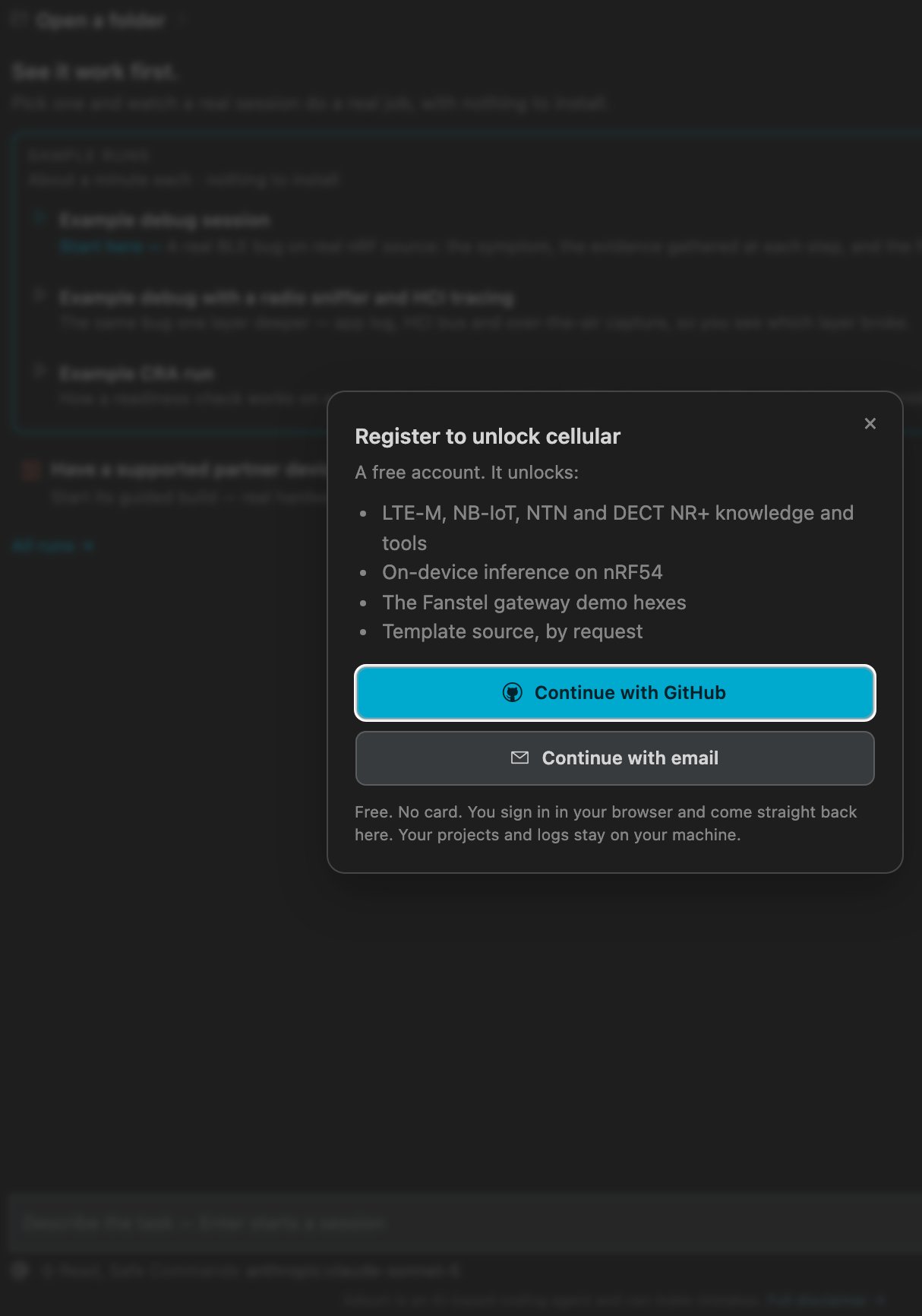
The gate a locked card opens.
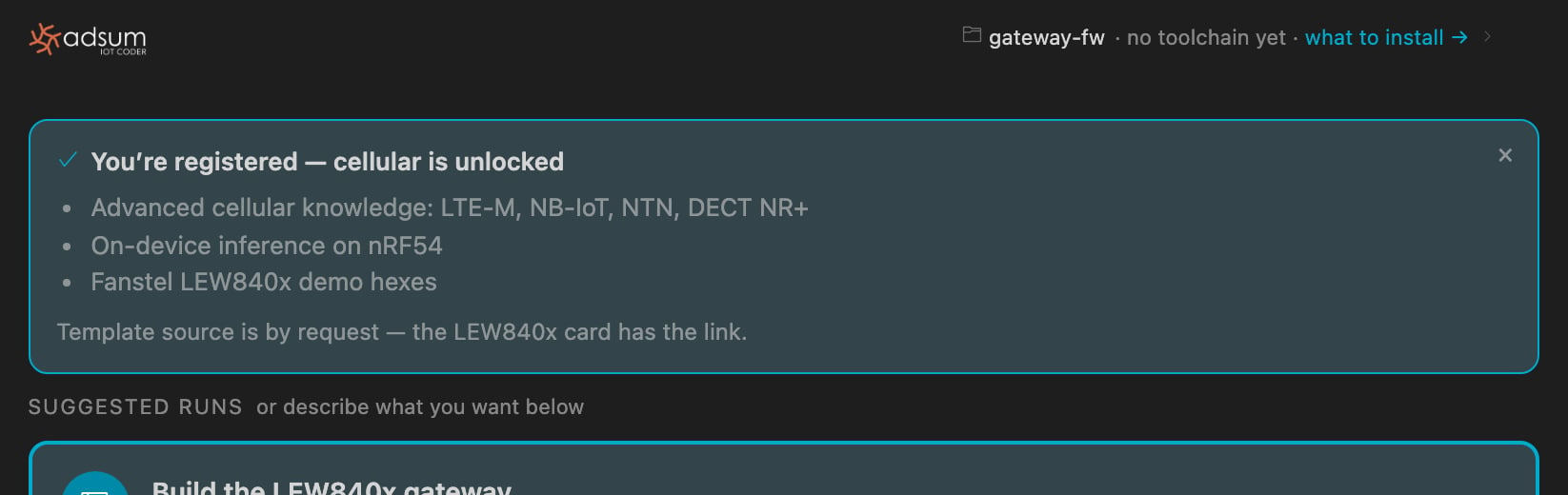
Back in the editor: the receipt names what is now unlocked.
What stays on your machine
Your projects, your logs, the project memory in.adsum/, and your free-tier allowance. The account carries your email and what it has unlocked. See privacy and security.
Settings › Account
- What your account has unlocked.
- Request template source, a short form, since the answer depends on what you are building.
- Sign out locks the account-gated knowledge on this machine and nothing else.
- Delete your account removes everything keyed on you and leaves this machine untouched.