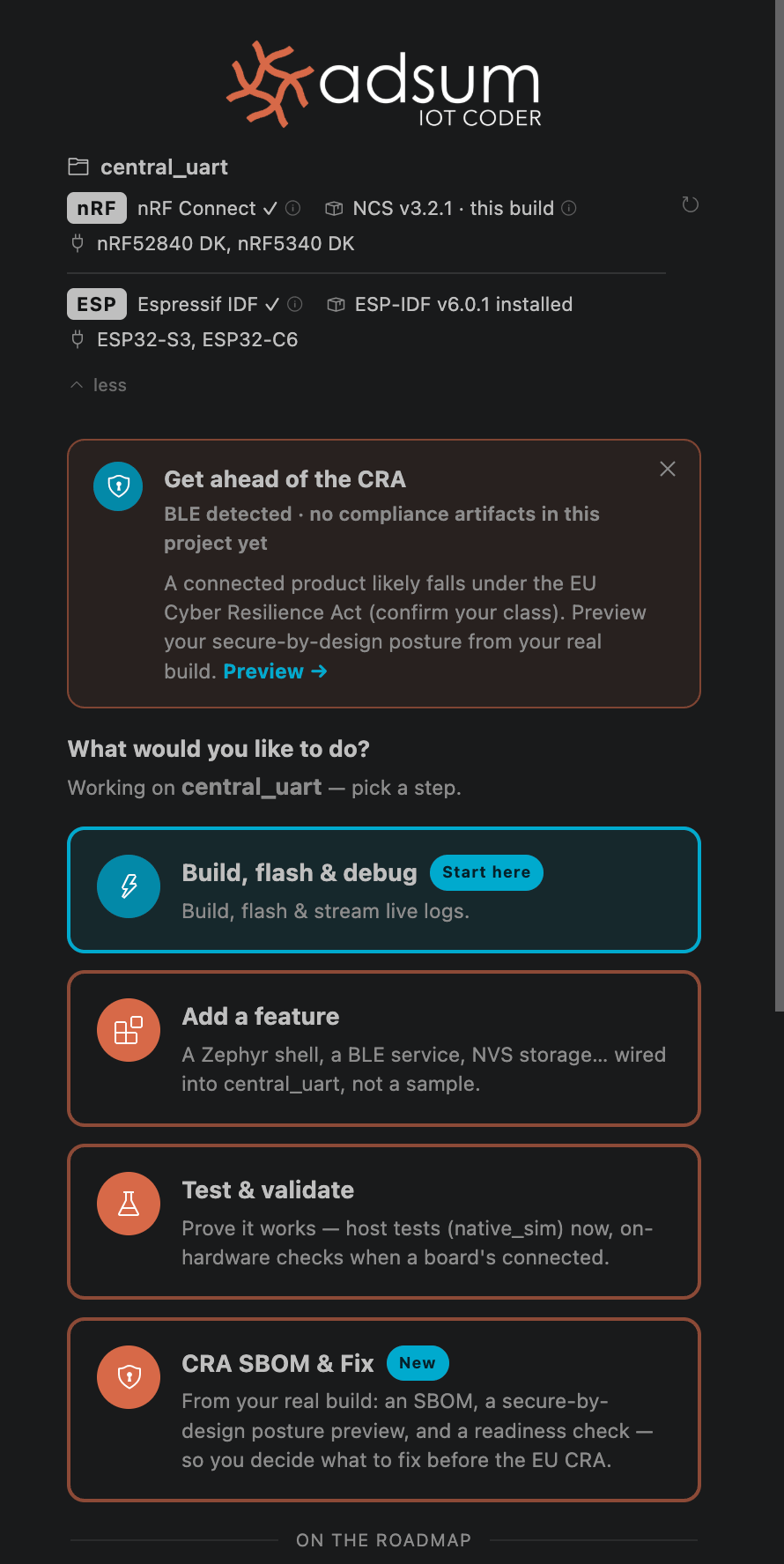
Adsum is built around the firmware dev loop. Open a project and the agent reads it, detects your boards and toolchain, and offers the right one-click moves. These are the jobs it runs most.

Build, flash & debug

Build, flash & debug workflow card
The full loop on real hardware: build, flash, capture live logs (RTT/UART on nRF, serial monitor on ESP), find the issue, and iterate until it is resolved.
  • Use it when your firmware builds but misbehaves on the board, or a bug only shows up at runtime.
  • What to expect boards auto-detect, logs stream back into the session, and the agent correlates what it sees on the device with your source instead of guessing from the code alone. Multi-device capture lets it follow a bug across two boards at once.

Capture & analyze device logs

Pull live logs off the board and let the agent read them with you, not just print them.
  • Use it when you have an intermittent fault, a crash, or a protocol exchange you need to understand.
  • What to expect RTT and UART on nRF, serial monitor on ESP, with the agent tracing symptoms back to a cause and proposing the fix.

Add a feature

Add a feature workflow card
Wire a new capability into your actual project: a BLE service, a sensor driver, a shell command, persistent storage.
  • Use it when you are extending working firmware and want the change made the way your project is already structured.
  • What to expect edits land in your real tree, against your Kconfig and board, not in a throwaway sample.

Start a prototype

Start a prototype workflow card
Scaffold a new nRF or ESP-IDF project, set the target SoC, and get to a first build.
  • Use it when you are starting fresh and want a clean, building baseline fast.
  • What to expect a project configured for your chosen board that compiles, ready for you to build on.

Test & validate

Test and validate workflow card
Exercise your firmware with host tests and on-hardware checks.
  • Use it when you want to confirm a change holds up before you move on.
  • What to expect the agent runs the checks, reports what passed, and points at what did not.

After any task finishes, the agent suggests where to go next, so you are never left at a blank prompt. To understand why the loop closes faster than a general agent, see how it works and the benchmark.