> ## Documentation Index
> Fetch the complete documentation index at: https://docs.adsumnetworks.com/llms.txt
> Use this file to discover all available pages before exploring further.

# AI coding agent for embedded IoT firmware

> Open-source VS Code AI coding agent for Nordic nRF and Espressif ESP32 firmware, with hardware-verified expert knowledge and one-click EU CRA readiness.
<div className="adsum-hide-page-title" />

<img className="block dark:hidden w-full" src="https://mintcdn.com/adsumnetworks/VxzM9Hecq_o9i_Ol/images/banner-light.png?fit=max&auto=format&n=VxzM9Hecq_o9i_Ol&q=85&s=fa701e63e51eb1ea28c693d964c5456d" alt="Work with Adsum IoT Coder" width="4285" height="1113" data-path="images/banner-light.png" />

<img className="hidden dark:block w-full" src="https://mintcdn.com/adsumnetworks/VxzM9Hecq_o9i_Ol/images/banner-dark.png?fit=max&auto=format&n=VxzM9Hecq_o9i_Ol&q=85&s=96da1585aeee72c0fb6b5f13049f1534" alt="Work with Adsum IoT Coder" width="4285" height="1113" data-path="images/banner-dark.png" />

## Put a secure, working IoT product in front of customers in weeks, not quarters. Prove its value early.

<p className="mt-4 text-lg text-gray-500 dark:text-gray-400">Adsum IoT Coder is an AI coding agent for embedded IoT, augmented with expert knowledge that was verified on real hardware by engineers who have shipped. It reads your whole bench, not only your code, and you approve every step. Try it now, with no key, no account and no card. <a href="https://marketplace.visualstudio.com/items?itemName=AdsumNetwork.nrf-ai-debugger" target="_blank" rel="noopener noreferrer" className="no-underline" style={{ textDecoration: "none", borderBottom: "none" }}><img src="https://badgen.net/vs-marketplace/i/AdsumNetwork.nrf-ai-debugger?label=VS%20Code&color=007ACC" alt="VS Code Marketplace installs" className="!my-0 inline-block align-middle h-5" style={{ pointerEvents: "none" }} /></a> <a href="https://open-vsx.org/extension/AdsumNetwork/nrf-ai-debugger" target="_blank" rel="noopener noreferrer" className="no-underline" style={{ textDecoration: "none", borderBottom: "none" }}><img src="https://badgen.net/open-vsx/d/AdsumNetwork/nrf-ai-debugger?label=Open%20VSX&color=C160EF" alt="Open VSX installs" className="!my-0 inline-block align-middle h-5" style={{ pointerEvents: "none" }} /></a></p>

**[Install from the VS Code Marketplace →](https://marketplace.visualstudio.com/items?itemName=AdsumNetwork.nrf-ai-debugger)**  ·  **[Run the free sample →](/getting-started)**

<div className="adsum-mast">
  <div><span className="adsum-mast-k">How fast, from nothing?</span><span className="adsum-mast-v">Under 2 hours</span><span className="adsum-mast-n">From an empty folder to a working gateway on the real board.</span></div>
  <div><span className="adsum-mast-k">How fast, from a signed image?</span><span className="adsum-mast-v">About 3 minutes</span><span className="adsum-mast-n">Flash it and watch live data reach your own broker.</span></div>
  <div><span className="adsum-mast-k">Better than a general agent?</span><span className="adsum-mast-v">4× the bugs fixed</span><span className="adsum-mast-n">On the first flash, same model, real hardware. Open benchmark.</span></div>
  <div><span className="adsum-mast-k">What does it cost to try?</span><span className="adsum-mast-v">Nothing</span><span className="adsum-mast-n">No key, no account, no card.</span></div>
</div>

***

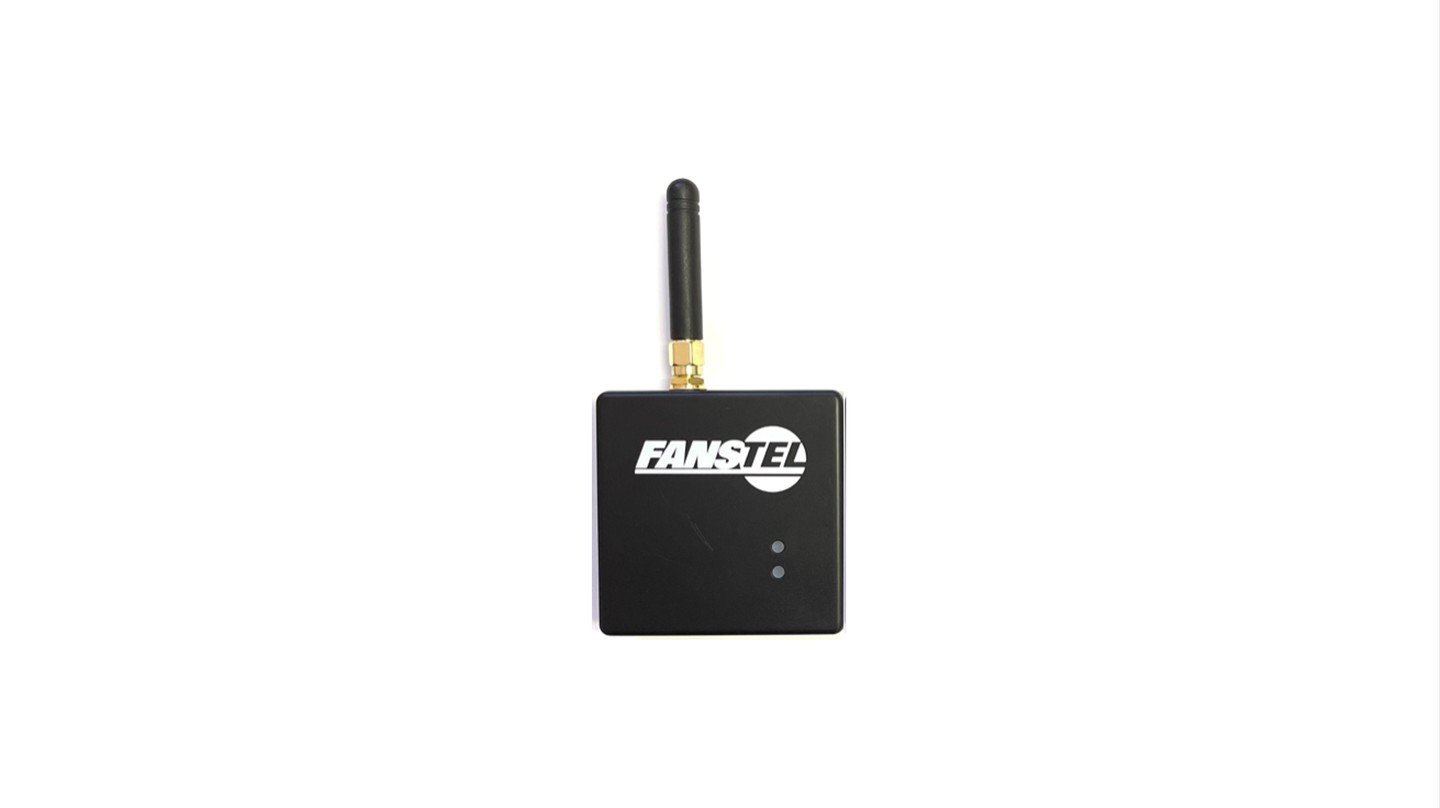
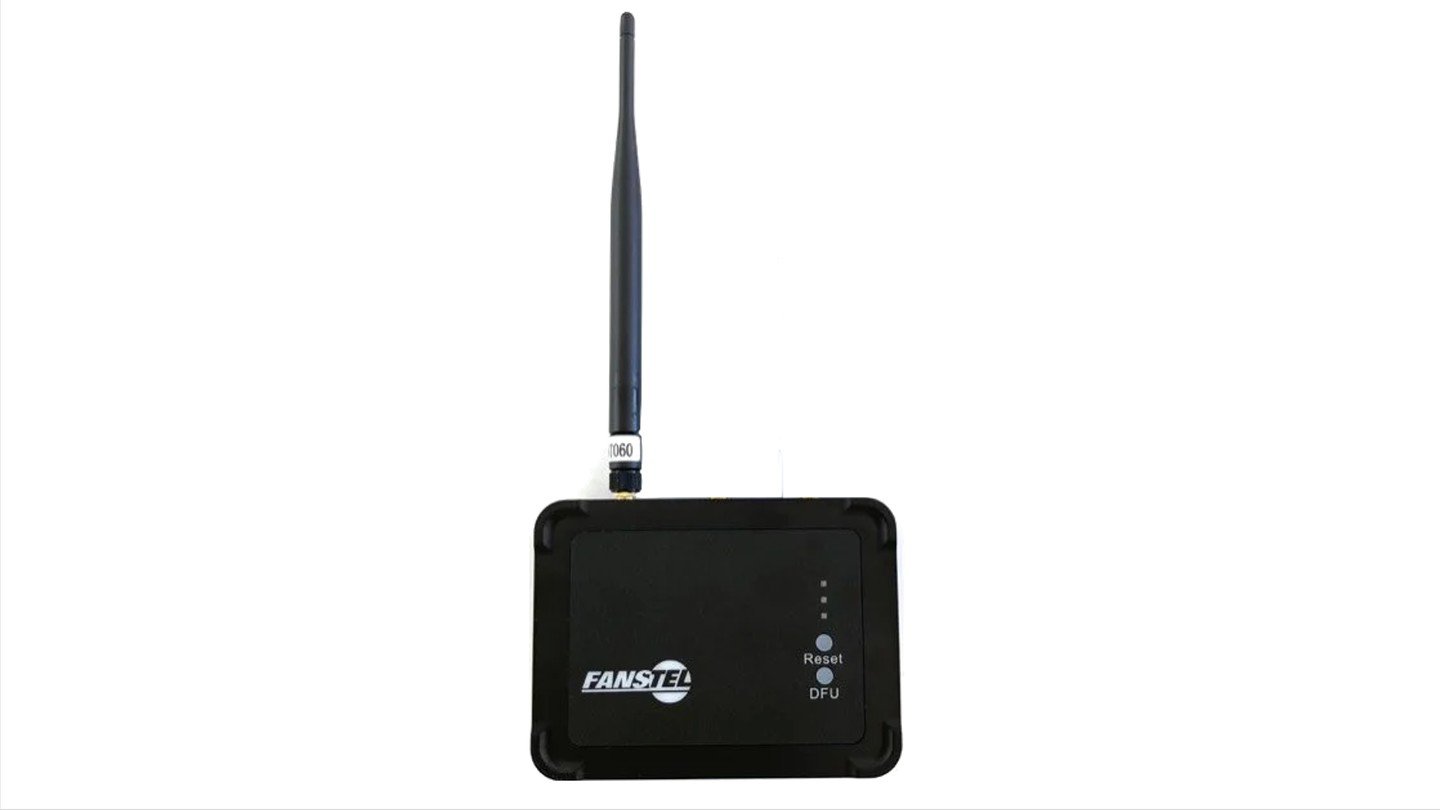
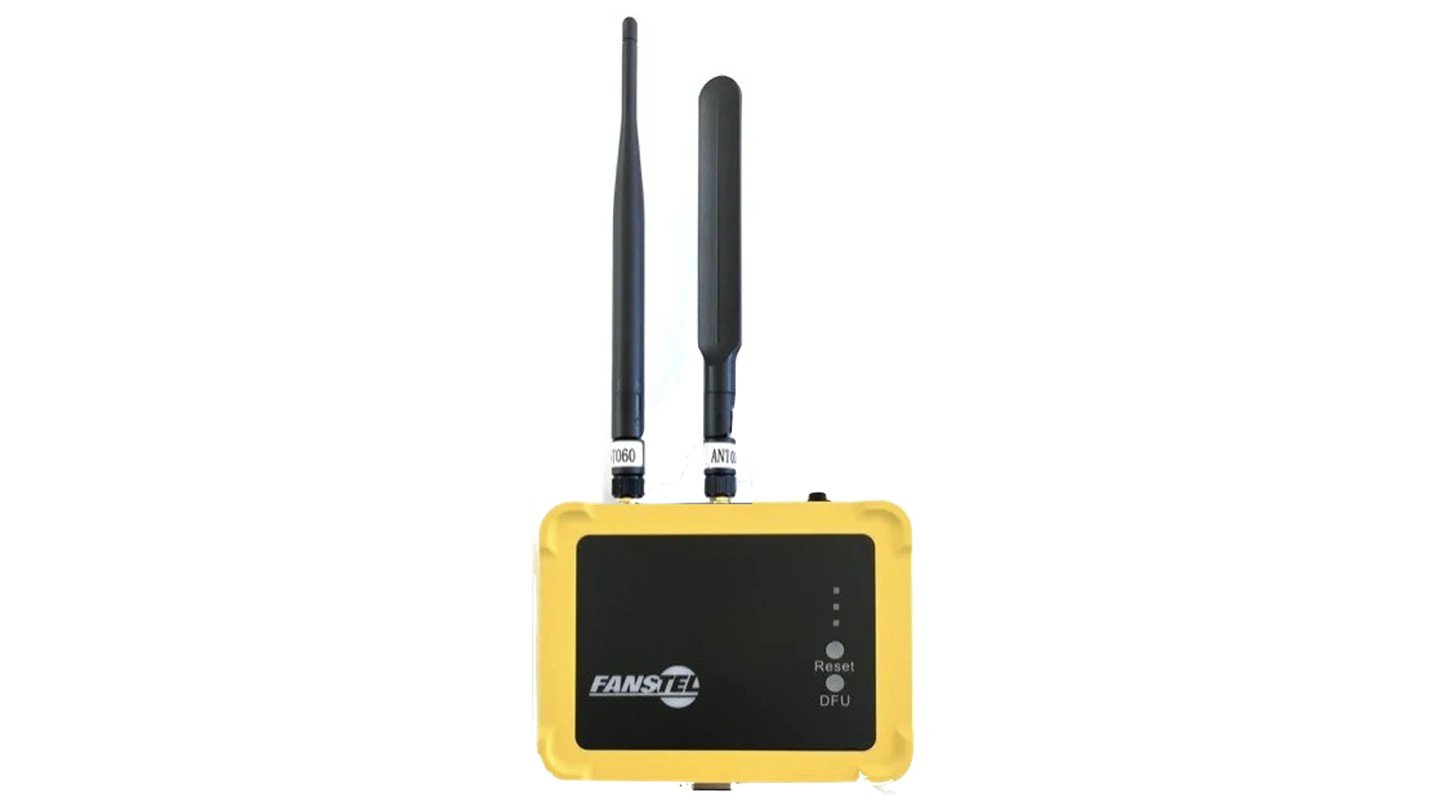
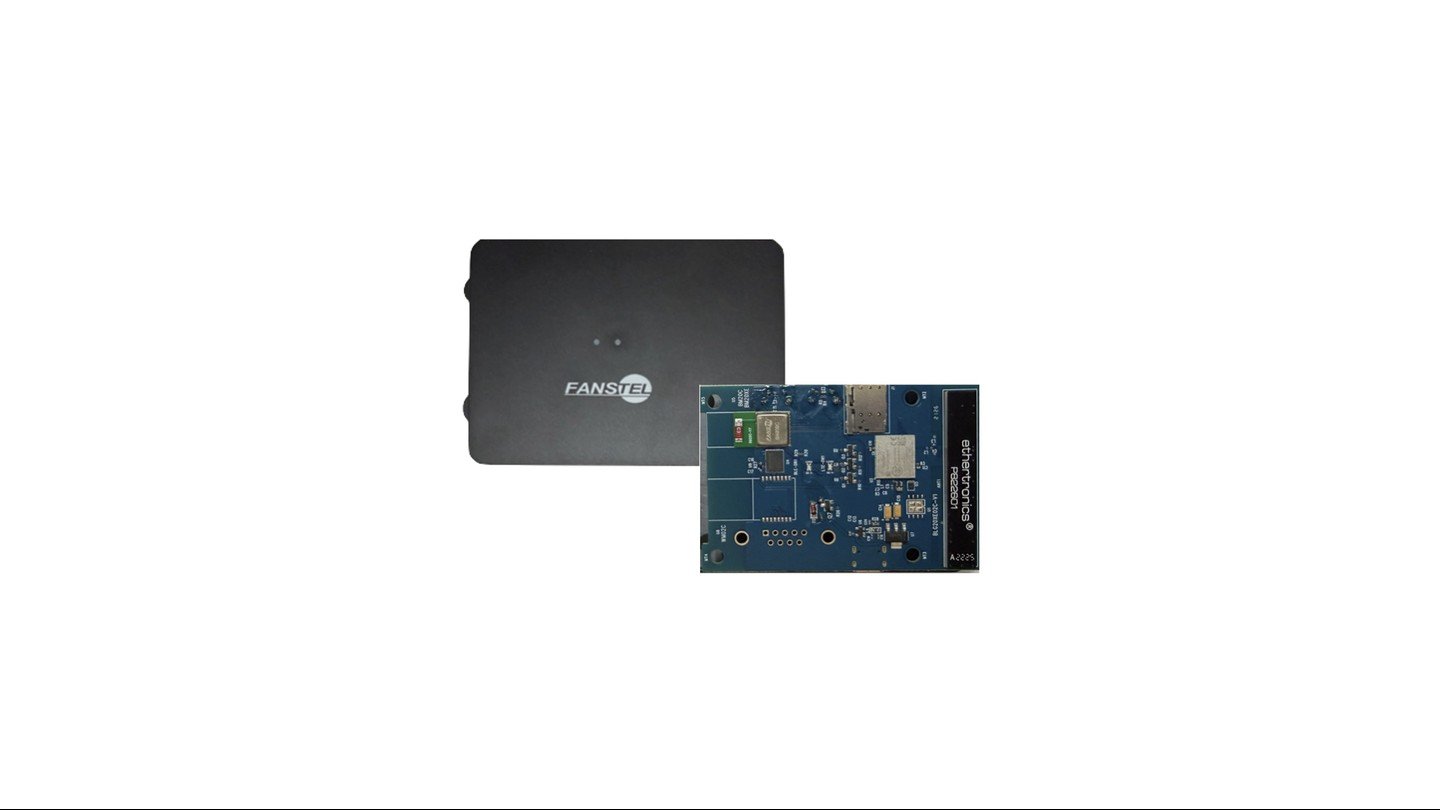
## Four open-hardware gateways built this way, and more coming

<div className="my-6 grid gap-6 md:grid-cols-2">
  <a href="/ble-wifi-gateway" className="block no-underline" style={{ textDecoration: "none", borderBottom: "none" }}>
    <img className="m-0 w-full rounded-md border border-gray-200 dark:border-gray-800" src="https://mintcdn.com/adsumnetworks/12idR-8YWUB725ul/images/demos/home-bwg840x.jpg?fit=max&auto=format&n=12idR-8YWUB725ul&q=85&s=5f1132806a4d013e540ca48222bfa252" alt="The Fanstel BWG840x gateway, BLE to Wi-Fi" style={{ pointerEvents: "none" }} width="1440" height="808" data-path="images/demos/home-bwg840x.jpg" />

    <p className="m-0 mt-2 text-sm text-gray-500 dark:text-gray-400"><b>BWG840x: BLE to Wi-Fi</b></p>
  </a>

  <a href="/supported-hardware/fanstel/lew840x" className="block no-underline" style={{ textDecoration: "none", borderBottom: "none" }}>
    <img className="m-0 w-full rounded-md border border-gray-200 dark:border-gray-800" src="https://mintcdn.com/adsumnetworks/12idR-8YWUB725ul/images/demos/home-lew840x.jpg?fit=max&auto=format&n=12idR-8YWUB725ul&q=85&s=e5d2c72634038df5dc93331d510efdbb" alt="The Fanstel LEW840x gateway, BLE to Wi-Fi and Ethernet" style={{ pointerEvents: "none" }} width="1440" height="810" data-path="images/demos/home-lew840x.jpg" />

    <p className="m-0 mt-2 text-sm text-gray-500 dark:text-gray-400"><b>LEW840x: BLE to Wi-Fi and Ethernet</b></p>
  </a>

  <a href="/supported-hardware/fanstel/lew840x-cellular" className="block no-underline" style={{ textDecoration: "none", borderBottom: "none" }}>
    <img className="m-0 w-full rounded-md border border-gray-200 dark:border-gray-800" src="https://mintcdn.com/adsumnetworks/12idR-8YWUB725ul/images/demos/home-lew840x-cellular.jpg?fit=max&auto=format&n=12idR-8YWUB725ul&q=85&s=f92e4820669a4281a68a7549bf59296f" alt="The Fanstel LEW840x gateway with the cellular card fitted" style={{ pointerEvents: "none" }} width="1440" height="810" data-path="images/demos/home-lew840x-cellular.jpg" />

    <p className="m-0 mt-2 text-sm text-gray-500 dark:text-gray-400"><b>LEW840x: BLE to Wi-Fi and Ethernet, plus cellular</b></p>
  </a>

  <a href="/gateway-firmware#coming-soon-blg20x" className="block no-underline" style={{ textDecoration: "none", borderBottom: "none" }}>
    <img className="m-0 w-full rounded-md border border-gray-200 dark:border-gray-800" src="https://mintcdn.com/adsumnetworks/QEbMavxtjW3iKIC3/images/demos/home-blg20x.jpg?fit=max&auto=format&n=QEbMavxtjW3iKIC3&q=85&s=f26f2605981399f9b937ba8f450bddeb" alt="The Fanstel BLG20x gateway, coming soon" style={{ pointerEvents: "none" }} width="1440" height="810" data-path="images/demos/home-blg20x.jpg" />

    <p className="m-0 mt-2 text-sm text-gray-500 dark:text-gray-400"><b>BLG20x: BLE 6 to Wi-Fi 6, cellular and satellite NB-NTN.</b> Coming soon.</p>
  </a>
</div>

Each runs firmware the agent built on the real board, with the developer approving each step. The BLG20x is in early access, and more are coming. [Every way to have it](/gateway-firmware).

## How it works

One open agent in your editor, plus expert knowledge that loads only for the task in front of it. That knowledge was written and verified on real boards by named engineers. It is not a chatbot reading a datasheet. [See the architecture](/architecture).

**Found on the bench, not in the field.** A gateway build that compiled clean and heard nothing. Thirty-six advertisements on the air, none received, and every log read fine. The radio front end had never been switched on. [See how it was found](/ble-debug).

## What you can have, and when

<div className="adsum-fig">
  <div className="adsum-ladder">
    <div className="adsum-tier"><div className="adsum-when">Minutes</div><div className="adsum-what"><b>Flash a signed image, to judge it</b><span>Yours: a licence to run it on your own network, with your own devices and your own broker, and prove its value before you spend anything.</span></div></div>
    <div className="adsum-tier"><div className="adsum-when">Minutes</div><div className="adsum-what"><b>Flash the same image, to deploy it</b><span>Yours: a licence to deploy it as it is, with no firmware work at all. It stays your deployment.</span></div></div>
    <div className="adsum-tier"><div className="adsum-when">Under 30 min</div><div className="adsum-what"><b>Build from licensed source</b><span>Yours: the source, module by module, to change and to ship. Your changes stay yours.</span></div></div>
    <div className="adsum-tier"><div className="adsum-when">Under 2 hours</div><div className="adsum-what"><b>Build it from scratch</b><span>Yours: the architecture as well as the code. You decided how it works.</span></div></div>
  </div>

  <p className="adsum-cap">Each time is to a first working version on real hardware. Start anywhere, and move between them.</p>
</div>

Signed images and licensed source are for the two Fanstel gateways today. Building from scratch works on any board built on a supported chip. There is no subscription for firmware: it is free to flash, or it is a request. [Row by row](/gateway-firmware).

## Your chip

| Family                  | Chips                       |
| :---------------------- | :-------------------------- |
| Nordic, nRF Connect SDK | nRF52, nRF53, nRF54L, nRF91 |
| Espressif, ESP-IDF      | ESP32, including S3 and C6  |

Any board built on these chips, your own design included. Open a folder and the agent says what it found and what is still missing before you write a line. [Supported hardware](/supported-hardware).

## What it does

Start a prototype, add a feature, debug BLE or Wi-Fi against the running board, bring a modem up, or run a CRA readiness check on a real build. [Every workflow](/workflows).

## Measured, not claimed

Adsum IoT Coder and Claude Code, head to head on the same model, on six BLE bugs, on real nRF hardware. Adsum fixed more of them on the first flash, on fewer tokens, and anyone can rerun it. [The benchmark](/benchmark).

Evaluating this for a regulated product? [What stays on your machine, and what a CRA readiness check is and is not](/privacy-and-security).

***

Already using it? [Workflows](/workflows), [models](/models), [troubleshooting](/troubleshooting).

**[Run the free sample](/getting-started).** No board, no key, no account, no card.