### Adsum IoT Coder, in one paragraph
Adsum IoT Coder is a VS Code extension. For this run it uses your computer's Bluetooth to pair with the relay, claim it, update both halves and commission it, with its agent asking one question at a time and your approval before each write. The [NTN-GW Commissioner](https://commission.adsumnetworks.com/ntn-gw/) does the commissioning from a browser instead, for an installer with a phone.
## What you need
| You need | Why, and what to watch |
| :- | :- |
| **The LBG20x**, its antennas fitted, and a **SIM** on a plan that allows LTE-M or NB-IoT | The wide-area half needs a network to attach to |
| **A view of the sky** for the GNSS antenna, outdoors or at a window | The relay's position comes from its own fix |
| **VS Code** with **Adsum IoT Coder 0.5.1** or later, signed in, on a computer with Bluetooth | Tested on macOS and Linux |
| A **ThingsBoard** account (free), or another device-data platform | Get it **before** you start: it is the one prerequisite that interrupts the run. [What it is, and where to sign up](/supported-hardware/fanstel/blg20x-first-run#thingsboard-what-it-is-and-why-you-need-it) |
| A **Bluetooth LE sensor** within a few metres | Anything that advertises. You will need its address |
| **Debug probes**, rarely | Only for a relay that left the factory with an older release: see step 2b |
## The whole run at a glance
1. **Open the Hardware page** in Adsum IoT Coder.
2. **Pair, claim and update** the relay over Bluetooth.
3. **Commission it**, with its own GNSS position.
4. **Set the deployment class**, if you commission from a browser.
5. **Admit your sensor.**
6. **Send readings to your platform**: one radio cycle.
7. **Send a command back**: one radio cycle.
## Step 1: Open the Hardware page
Install [Adsum IoT Coder](https://marketplace.visualstudio.com/items?itemName=AdsumNetwork.nrf-ai-debugger) in VS Code, sign in, and open the **Hardware** page. Under **Gateways in range** it lists the relays it hears over Bluetooth.
## Step 2: Pair, claim and update
*about 5 minutes*
The relay advertises for five minutes after power-on and after each disconnect, then stops. To open the window again, **hold DFU1 for 3 to 8 seconds**. A new device pairs only after this hold.
The Hardware page then takes the relay through four steps:
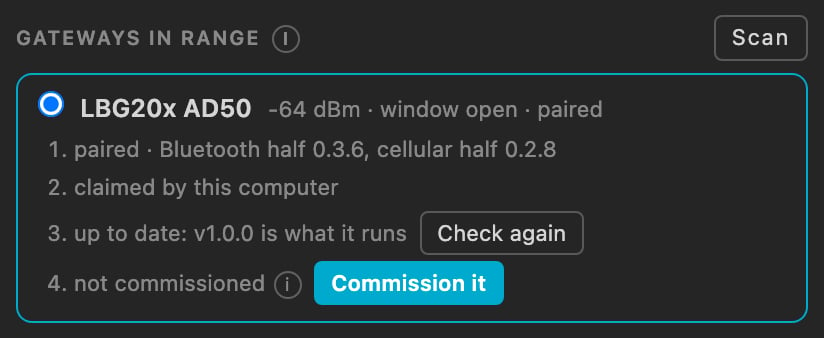
* **Pair.** Your operating system asks for the passkey the page shows.
* **Claim it for this computer.** The relay's service now takes images only with this computer's key.
* **Check its firmware.** When a newer demo release is out, **Update** installs it over Bluetooth, both halves, in about four minutes, and the relay keeps its settings.
* **Commission it**: step 3.
### Adsum IoT Coder, in one paragraph
Adsum IoT Coder is a VS Code extension. For this run it uses your computer's Bluetooth to pair with the relay, claim it, update both halves and commission it, with its agent asking one question at a time and your approval before each write. The [NTN-GW Commissioner](https://commission.adsumnetworks.com/ntn-gw/) does the commissioning from a browser instead, for an installer with a phone.
## What you need
| You need | Why, and what to watch |
| :- | :- |
| **The LBG20x**, its antennas fitted, and a **SIM** on a plan that allows LTE-M or NB-IoT | The wide-area half needs a network to attach to |
| **A view of the sky** for the GNSS antenna, outdoors or at a window | The relay's position comes from its own fix |
| **VS Code** with **Adsum IoT Coder 0.5.1** or later, signed in, on a computer with Bluetooth | Tested on macOS and Linux |
| A **ThingsBoard** account (free), or another device-data platform | Get it **before** you start: it is the one prerequisite that interrupts the run. [What it is, and where to sign up](/supported-hardware/fanstel/blg20x-first-run#thingsboard-what-it-is-and-why-you-need-it) |
| A **Bluetooth LE sensor** within a few metres | Anything that advertises. You will need its address |
| **Debug probes**, rarely | Only for a relay that left the factory with an older release: see step 2b |
## The whole run at a glance
1. **Open the Hardware page** in Adsum IoT Coder.
2. **Pair, claim and update** the relay over Bluetooth.
3. **Commission it**, with its own GNSS position.
4. **Set the deployment class**, if you commission from a browser.
5. **Admit your sensor.**
6. **Send readings to your platform**: one radio cycle.
7. **Send a command back**: one radio cycle.
## Step 1: Open the Hardware page
Install [Adsum IoT Coder](https://marketplace.visualstudio.com/items?itemName=AdsumNetwork.nrf-ai-debugger) in VS Code, sign in, and open the **Hardware** page. Under **Gateways in range** it lists the relays it hears over Bluetooth.
## Step 2: Pair, claim and update
*about 5 minutes*
The relay advertises for five minutes after power-on and after each disconnect, then stops. To open the window again, **hold DFU1 for 3 to 8 seconds**. A new device pairs only after this hold.
The Hardware page then takes the relay through four steps:
* **Pair.** Your operating system asks for the passkey the page shows.
* **Claim it for this computer.** The relay's service now takes images only with this computer's key.
* **Check its firmware.** When a newer demo release is out, **Update** installs it over Bluetooth, both halves, in about four minutes, and the relay keeps its settings.
* **Commission it**: step 3.
 ### Step 2b: a relay on an older release, once
A relay that left the factory with a release older than its Bluetooth service takes our pair over the debug probes once; from then on every update is over Bluetooth. Put one probe on each half's header, **BLE-SWD1** and **LTE-SWD1**, and let Adsum IoT Coder read the silicon behind each probe before anything is written: a probe's name says nothing about which half it reaches.
The wide-area half takes three commands in one session, with nothing in between, because erasing it clears the word that keeps its debug port open:
```bash theme={null}
nrfutil device program --firmware nrf9151/merged.hex \
--serial-number
### Step 2b: a relay on an older release, once
A relay that left the factory with a release older than its Bluetooth service takes our pair over the debug probes once; from then on every update is over Bluetooth. Put one probe on each half's header, **BLE-SWD1** and **LTE-SWD1**, and let Adsum IoT Coder read the silicon behind each probe before anything is written: a probe's name says nothing about which half it reaches.
The wide-area half takes three commands in one session, with nothing in between, because erasing it clears the word that keeps its debug port open:
```bash theme={null}
nrfutil device program --firmware nrf9151/merged.hex \
--serial-number 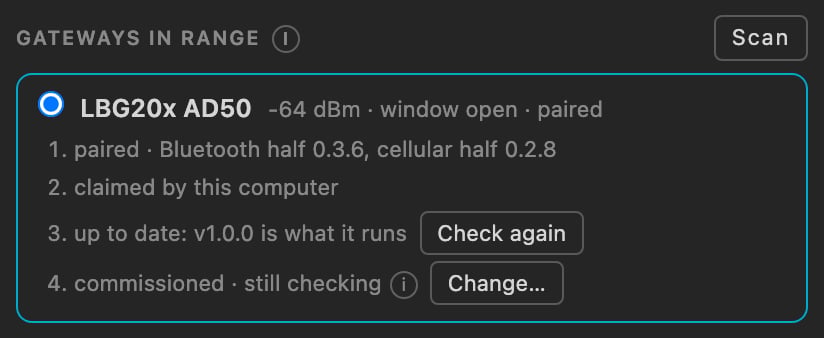 **The cue light says it too.** The LBG20x has no sounder: three flashes mean commissioned, and three flashes then a minute steady mean the first data has been sent, so you can leave.
### From a browser
The [NTN-GW Commissioner](https://commission.adsumnetworks.com/ntn-gw/) does the same in Chrome over Web Bluetooth, on a phone or a laptop, and asks for the relay's own fix in its second step. A relay claimed by a computer is still commissioned from the browser, and takes its firmware from that computer.
## Step 4: Set the deployment class
*From Adsum IoT Coder this is part of step 3.* From the browser, the class has its own panel, and the order matters: to narrow, untick satellite in the network policy **and** clear it from the ladder, write the policy, then the class; to widen, the class first. The [BLG20x guide, step 4](/supported-hardware/fanstel/blg20x-first-run#step-4-set-the-deployment-class) shows each panel.
## Step 5: Admit your sensor
*about 5 minutes*
**A commissioned relay with no access list ingests nothing.** That is deliberate: on a metered link, admitting whatever happens to be nearby is a bill somebody else writes for you. Admit your sensor with the **expected list**, one entry per line, `ADDRESS, profile, label, short id`:
```bash theme={null}
D2:14:97:21:15:C9, any, kitchen probe, 1
```
Writing replaces the whole list, an entry admits its device on its own, and a rotating address is refused. The [BLG20x guide, step 5](/supported-hardware/fanstel/blg20x-first-run#step-5-admit-your-sensor) shows the quarantine and the counters.
## Step 6: Send readings to your platform
*about 10 minutes, plus one radio cycle*
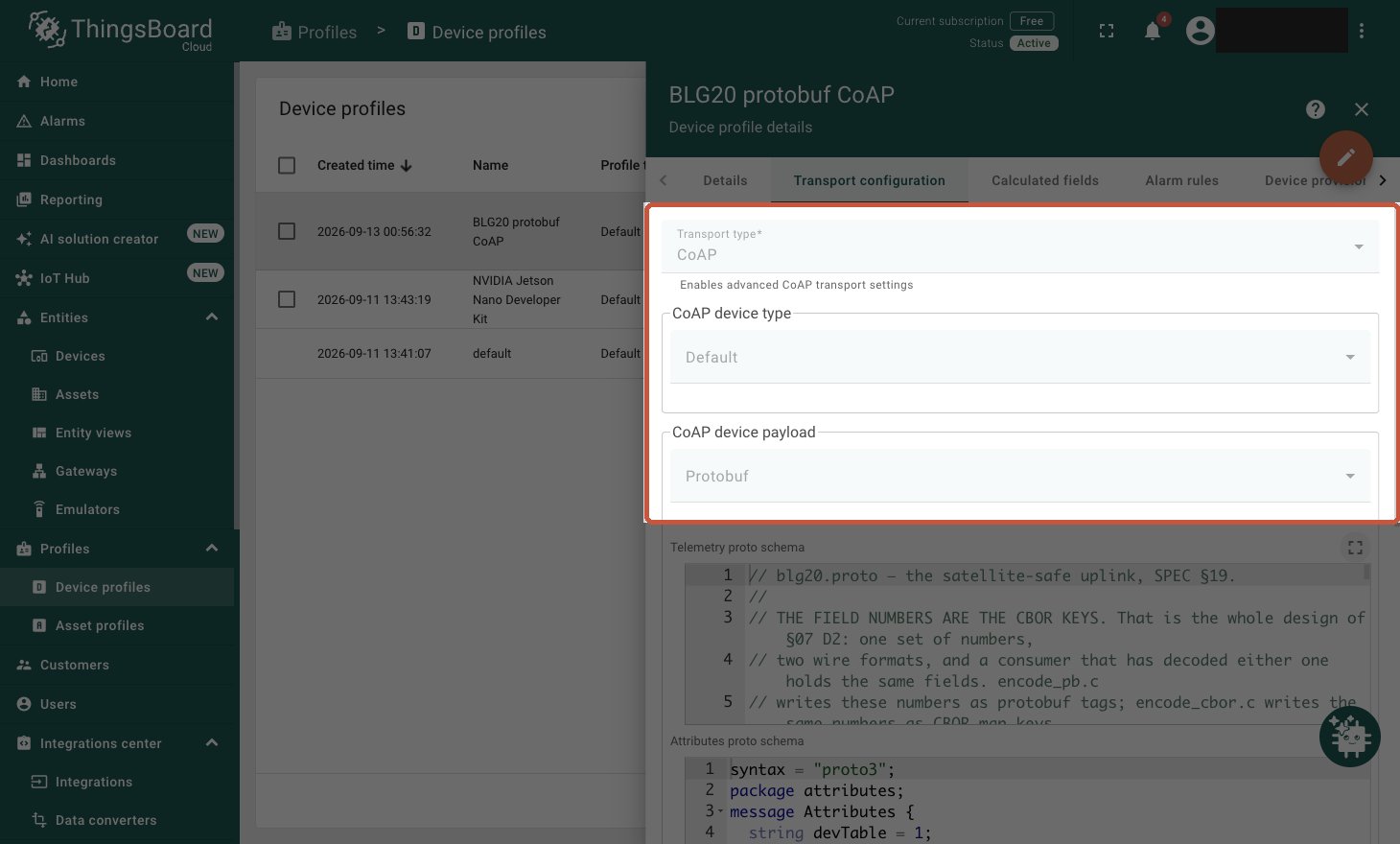
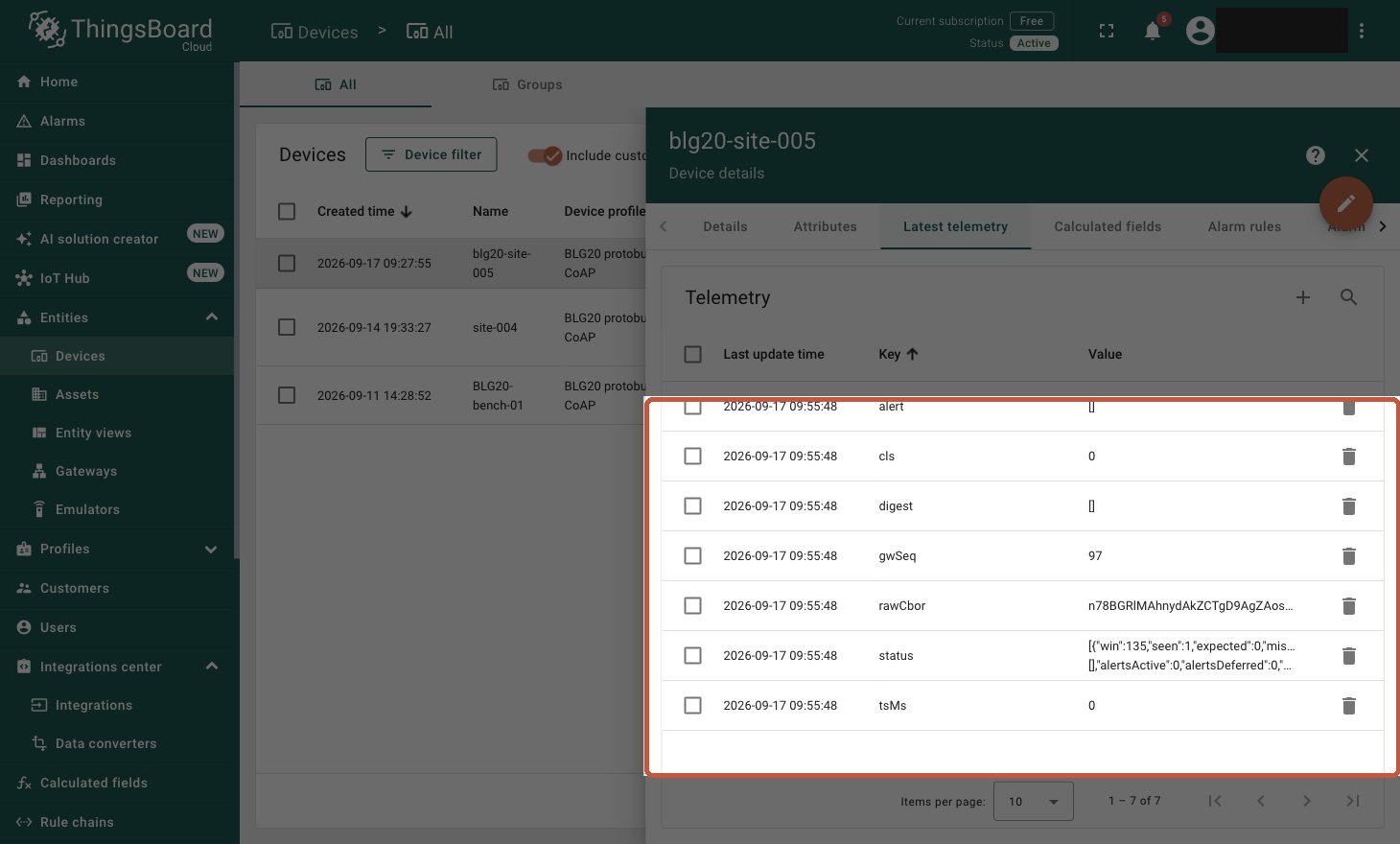
On your ThingsBoard tenant, a device profile with **CoAP** transport and a **Protobuf** payload, a device on that profile, and its access token. The token goes into step 3.
**The cue light says it too.** The LBG20x has no sounder: three flashes mean commissioned, and three flashes then a minute steady mean the first data has been sent, so you can leave.
### From a browser
The [NTN-GW Commissioner](https://commission.adsumnetworks.com/ntn-gw/) does the same in Chrome over Web Bluetooth, on a phone or a laptop, and asks for the relay's own fix in its second step. A relay claimed by a computer is still commissioned from the browser, and takes its firmware from that computer.
## Step 4: Set the deployment class
*From Adsum IoT Coder this is part of step 3.* From the browser, the class has its own panel, and the order matters: to narrow, untick satellite in the network policy **and** clear it from the ladder, write the policy, then the class; to widen, the class first. The [BLG20x guide, step 4](/supported-hardware/fanstel/blg20x-first-run#step-4-set-the-deployment-class) shows each panel.
## Step 5: Admit your sensor
*about 5 minutes*
**A commissioned relay with no access list ingests nothing.** That is deliberate: on a metered link, admitting whatever happens to be nearby is a bill somebody else writes for you. Admit your sensor with the **expected list**, one entry per line, `ADDRESS, profile, label, short id`:
```bash theme={null}
D2:14:97:21:15:C9, any, kitchen probe, 1
```
Writing replaces the whole list, an entry admits its device on its own, and a rotating address is refused. The [BLG20x guide, step 5](/supported-hardware/fanstel/blg20x-first-run#step-5-admit-your-sensor) shows the quarantine and the counters.
## Step 6: Send readings to your platform
*about 10 minutes, plus one radio cycle*
On your ThingsBoard tenant, a device profile with **CoAP** transport and a **Protobuf** payload, a device on that profile, and its access token. The token goes into step 3.