> ## Documentation Index
> Fetch the complete documentation index at: https://docs.adsumnetworks.com/llms.txt
> Use this file to discover all available pages before exploring further.
# CRA readiness
> One click builds an SBOM (SPDX), checks your secure-by-design posture from your real config, and helps you close a CVE you name, on both nRF and ESP. A readiness aid, not a conformity assessment.
The **EU Cyber Resilience Act (CRA)** brings security obligations for products with digital elements, and a machine-readable SBOM is one of its named artifacts. Adsum turns that into one click: run it on your build and get a readiness snapshot on both Nordic nRF and Espressif ESP, so you can see where you stand and fix the biggest gaps before the deadlines.
This is a readiness aid, **not a conformity assessment and not legal advice.** It reports your build's literal evidence and what to verify. Only a notified body or your own formal assessment establishes conformity. Adsum is an AI-based coding agent and can make mistakes, so the conclusions are yours to verify.
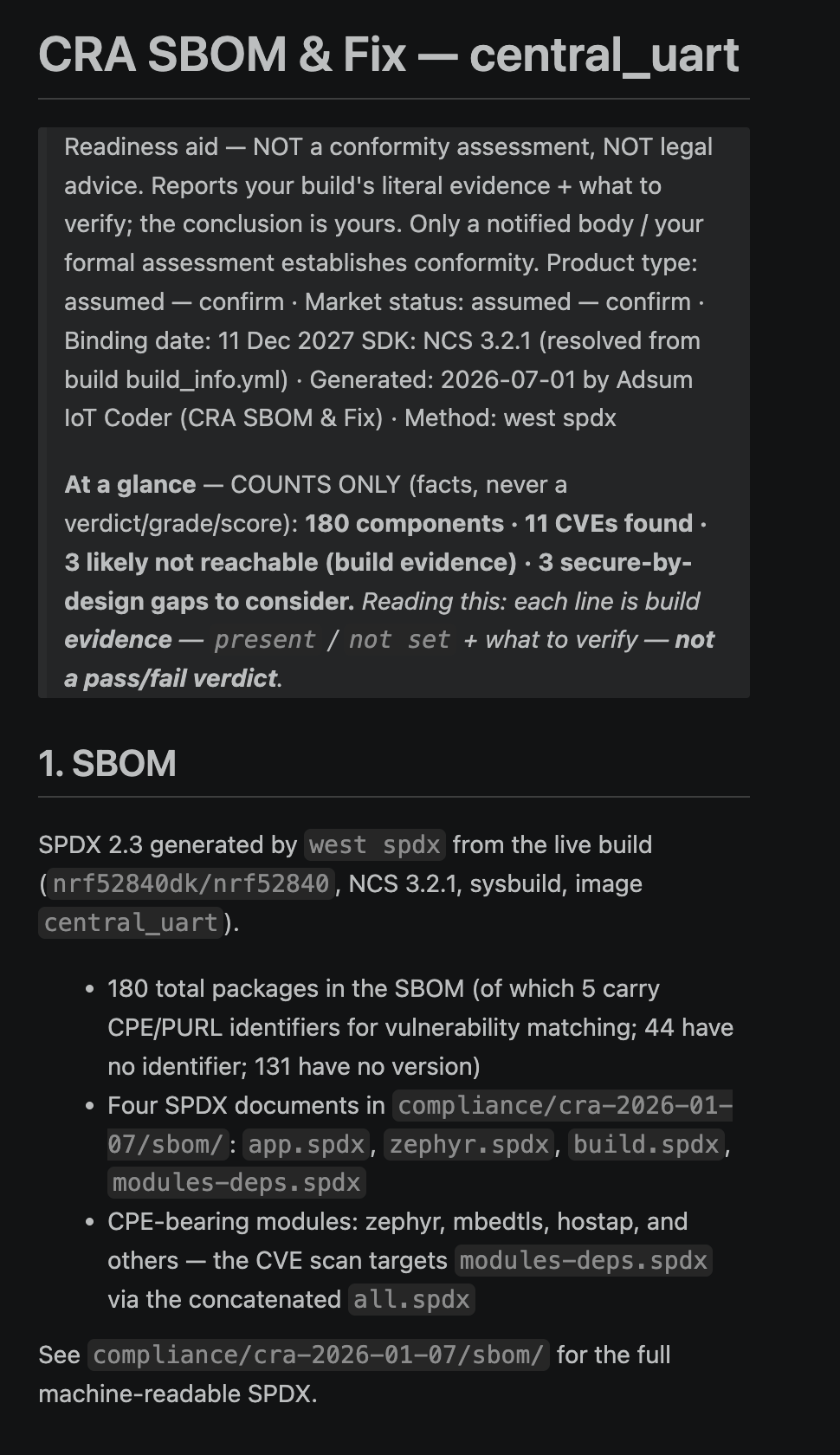 ## What one click gives you
* **SBOM from your real build.** A machine-readable software bill of materials (SPDX), the CRA's named artifact, generated from your actual build with the vendor-native tools.
* **Secure-by-design posture** against your build's actual configuration: secure boot, signed updates, debug-port lock, secure pairing, secure storage and more, each with the plain-English requirement and the fix, ranked so you tackle the biggest gap first.
* **Bring a CVE, and close it.** Hand it a CVE from a vendor advisory: it confirms the affected component is really in your build (a literal SBOM lookup), links the advisory, then helps you bump the version, rebuild, and regenerate the SBOM.
* **Fix in the loop, not just flag.** It helps you wire the top fix (a secure bootloader, for example), rebuild, and re-verify, without leaving the agent.
* **Version advisories** for your detected SDK (links to review, never an automatic verdict).
It tells you which CRA date applies to you and writes a `compliance/` folder (report + machine-readable JSON + SBOM).
## Run it
Run it on your own nRF or ESP firmware, or try it on a bundled sample with nothing open.
From the home workflow cards, choose **CRA SBOM & Fix**. The agent builds the SBOM, reads your real config, and drafts the readiness report.
Open `compliance/CRA_READINESS.md`. The posture gaps are ranked, so start at the top: wire the fix, rebuild, and re-verify in the same loop.
## What it is not
* **Not a conformity assessment or certification.** It never asserts "compliant" or "conformant". Only a notified body or your formal assessment establishes that.
* **Not a vulnerability scanner.** The CVE flow confirms a component you name is present in your build and helps you patch it. It does not search for unknown CVEs.
* **Not legal advice.** It surfaces evidence and the requirement in plain English; the interpretation is yours.
See [Limitations](/legal/limitations) for the full honesty note, and the [roadmap](/platforms-and-roadmap) for what comes next.
## What one click gives you
* **SBOM from your real build.** A machine-readable software bill of materials (SPDX), the CRA's named artifact, generated from your actual build with the vendor-native tools.
* **Secure-by-design posture** against your build's actual configuration: secure boot, signed updates, debug-port lock, secure pairing, secure storage and more, each with the plain-English requirement and the fix, ranked so you tackle the biggest gap first.
* **Bring a CVE, and close it.** Hand it a CVE from a vendor advisory: it confirms the affected component is really in your build (a literal SBOM lookup), links the advisory, then helps you bump the version, rebuild, and regenerate the SBOM.
* **Fix in the loop, not just flag.** It helps you wire the top fix (a secure bootloader, for example), rebuild, and re-verify, without leaving the agent.
* **Version advisories** for your detected SDK (links to review, never an automatic verdict).
It tells you which CRA date applies to you and writes a `compliance/` folder (report + machine-readable JSON + SBOM).
## Run it
Run it on your own nRF or ESP firmware, or try it on a bundled sample with nothing open.
From the home workflow cards, choose **CRA SBOM & Fix**. The agent builds the SBOM, reads your real config, and drafts the readiness report.
Open `compliance/CRA_READINESS.md`. The posture gaps are ranked, so start at the top: wire the fix, rebuild, and re-verify in the same loop.
## What it is not
* **Not a conformity assessment or certification.** It never asserts "compliant" or "conformant". Only a notified body or your formal assessment establishes that.
* **Not a vulnerability scanner.** The CVE flow confirms a component you name is present in your build and helps you patch it. It does not search for unknown CVEs.
* **Not legal advice.** It surfaces evidence and the requirement in plain English; the interpretation is yours.
See [Limitations](/legal/limitations) for the full honesty note, and the [roadmap](/platforms-and-roadmap) for what comes next.